




Macrorit Disk Partition Expert
25 likes
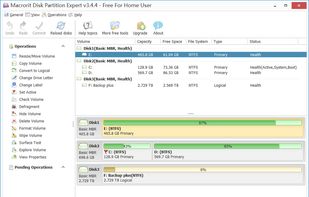
Provides powerful features that enable users to extend system partition, resize move partitions, create, format, delete partition with ease; it also ensures both 100% data safe and the fastest data partition moving speed.

Cost / License
- Freemium (Pay once)
- Proprietary
Application type
Platforms
- Windows


Features
Macrorit Disk Partition Expert News & Activities
Highlights All activities
Recent activities
- OlaMohammad liked Macrorit Disk Partition Expert
- TheEmperorArt liked Macrorit Disk Partition Expert
Very good. Has all features I expected (long time user of other tools like Minitool Partition Wizard and Easeus Partition Master), easy to use and fast, nice UI on Win11 23H2. Very small in size and footprint.
- SHOWGOOD commented on Macrorit Disk Partition Expert
The free version is very capable and the pay upgrade is reasonably priced and it is perpetual.
- SHOWGOOD liked Macrorit Disk Partition Expert
- TheEmperorArt updated Macrorit Disk Partition Expert
 TheEmperorArt added Macrorit Disk Partition Expert as alternative to iBeesoft Disk Partition Wizard
- Dream-Knight liked Macrorit Disk Partition Expert

Featured in Lists

A list with 177 apps by squarepluto without a description.
List by sam with 177 apps, updated

A list displaying cloneware apps, that is to say apps that are a clone of another app, checking the install...
List by TheEmperorArt with 18 apps, updated
What is Macrorit Disk Partition Expert?
Macrorit Disk Partition Expert information
Developed by
 Macrorit
 Licensing
Proprietary and Freemium product.Pricing
One time purchase (perpetual license) ranging between $80 and $599 + free version with limited functionality.Rating
Average rating of 4Alternatives
23 alternatives listedBadge
Get an embeddable badge for Macrorit Disk Partition ExpertSupported Languages


Comments and Reviews
Completely free, recent update and functional
The free version is very capable and the pay upgrade is reasonably priced and it is perpetual.
Very good. Has all features I expected (long time user of other tools like Minitool Partition Wizard and Easeus Partition Master), easy to use and fast, nice UI on Win11 23H2. Very small in size and footprint.
free version is basically useless
Very clean software. No subscription, freemium or bundled adware. The software works standalone, without an install or internet connection, making it great for a "backup-toolkit" USB stick.
I only need basic features and it provides all of them. Unlike aleon1220 said, moving unallocated space is possible (by moving the allocated section left or right). I haven't used it enough to vouch for data integrity with more complex operations, so ymmv.
bad. How to Move Unallocated Space to the Left or Right Side is not possible.