




macUSB
14 likes
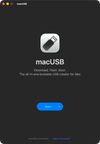
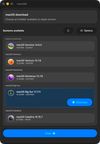
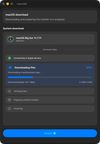
macUSB is a free and open-source macOS app for creating bootable USB media for macOS, Linux, and Windows. It is designed as an all-in-one tool that guides the user through the entire process step by step, while supporting both Apple Silicon and Intel Macs.


+7

Cost / License
- Free
- Open Source (MIT)
Application type
 EU
EUPlatforms
- Mac
- Homebrew

Features
macUSB News & Activities
Highlights All activities
Recent News
No news, maybe you know any news worth sharing?
Share a News TipRecent activities
- bnchndlr liked macUSB
- ssssaaaa added Privacy focused as a feature to macUSB
Worked when neither FedoraMediaWriter or balenaEtcher did!
- ssssaaaa liked macUSB
 POX added macUSB as alternative to IWantLinux
- Kruszoneq updated macUSB
- Kruszoneq updated macUSB
- cengisyildis liked macUSB
- JoeHowellDesign liked macUSB


macUSB information
Developed by
 Kruszoneq
 Licensing
Open Source (MIT) and Free product.Written in
Alternatives
54 alternatives listedBadge
Get an embeddable badge for macUSBSupported Languages

AlternativeTo Categories
OS & Utilities, CD/DVD ToolsGitHub repository
- 2,764 Stars
- 131 Forks
- 1 Open Issues
- Updated


Comments and Reviews
Worked when neither FedoraMediaWriter or balenaEtcher did!
Great app! Well-designed, and it even shows a progress bar! I was able to create a bootable USB drive for a Linux distribution. If you're on a Mac, I highly recommend it!