


marka.md
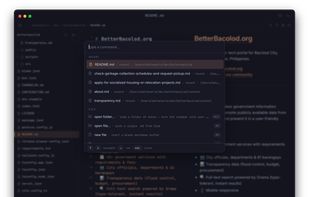
A native macOS markdown editor specialized for AI context management. Live editor on the left (codemirror 6), rendered preview on the right (markdown-it + shiki + mermaid). Minimal Chrome, full catppuccin + matcha themes, macOS vibrancy, orange octopus mascot. ~10 MB bundle.
Features
Properties
- Support for Themes
- Distraction-free
- Privacy focused
Features
- Ad-free
- Reading mode
- Live Preview
- No Tracking
- Dark Mode
- Works Offline
- Support for MarkDown
- No registration required
- Export to PDF
- Markdown preview
- Search and Replace
- Auto-saving
- Command palette
- Support for Keyboard Shortcuts
- Mermaid support
marka.md News & Activities
Recent activities
- mattenarle10 replied to a comment / review on marka.md
- sg130118 added Distraction-free as a feature to marka.md
- sg130118 reviewed marka.md
Clutter-free interface. Has a keyboard (ctrl+/) shortcut to display useful hotkeys. Good selection of themes. Only downside is the ram usage being on the higher side.
Edit: Updated to 1.4.2 and the ram usage has drastically decreased to single digits! I noticed it also shows a wordcount and token size of the .md file that is open. Neat feature.
marka.md information
What is marka.md?
A native macOS markdown editor specialized for AI context management. Live editor on the left (codemirror 6), rendered preview on the right (markdown-it + shiki + mermaid). Minimal Chrome, full catppuccin + matcha themes, macOS vibrancy, orange octopus mascot. ~10 MB bundle.
Works with claude, chatgpt, gemini, your local agent — anywhere that reads plain markdown.
Features:
- live preview — debounced ~50 ms render with code blocks (shiki) and mermaid diagrams
- 5 themes — catppuccin latte / frappé / macchiato / mocha + matcha (washi paper + kelly green) + system auto-switch
- reading mode — flips to distraction-free preview-only with iA-style typography
- command palette — fuzzy-searchable, grouped by category
- find / replace — opens a themed codemirror search panel
- folder sidebar — load a folder of .md, fuzzy-search across the tree, click to load
- share to AI — copies the current markdown to your clipboard, paste anywhere
- export to PDF — renders preview-styled HTML, opens system print dialog
- macOS vibrancy with opt-in transparency
- auto-save off by default — commits. trust your fingers, not background daemons.
- fully keyboard-driven — every command has a shortcut, palette covers the rest


Comments and Reviews
Clutter-free interface. Has a keyboard (ctrl+/) shortcut to display useful hotkeys. Good selection of themes. Only downside is the ram usage being on the higher side.
Edit: Updated to 1.4.2 and the ram usage has drastically decreased to single digits! I noticed it also shows a wordcount and token size of the .md file that is open. Neat feature.
hi this is matt! maker of marka.md, did some optimizations on the new release!
