


Minarca
3 likes
Self-hosted opensource software to backup all your data on Linux, Windows and Mac

Cost / License
- Free
- Open Source (AGPL-3.0)
Platforms
- Mac
- Windows
- Linux
- Self-Hosted


Features
Minarca News & Activities
Highlights All activities
Recent activities

Minarca information
Developed by
 IKUS Software
 Licensing
Open Source (AGPL-3.0) and Free product.Written in
Alternatives
14 alternatives listedBadge
Get an embeddable badge for MinarcaSupported Languages


Comments and Reviews
I recently tested Minarca for personal backup, and it does its job well. Here's my quick take:
The Good:
It's Free & Open Source:
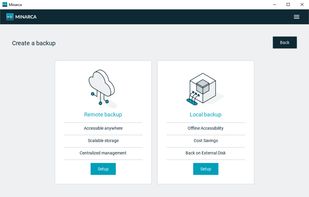
Very Easy to Use: The interface is clean and simple. Setting up a backup job for my important folders was straightforward.
Lightweight: It runs in the background without slowing down my computer.
Important Considerations:
Requires Your Own Storage: It is designed to back up to your own server or a local destination like a USB drive.
File-Level Backup Only: It backs up your files and folders, not a full system image. It's perfect for documents, photos, and music, but not for restoring your entire OS in one go.
The Bad:
Basic File Selection: The selection tool works on a per-folder basis. If you want to back up a drive with 20 folders, you can only select the entire drive or each folder individually; there's no way to easily select multiple specific folders across different locations in one go.
No Encryption: Your backups are not encrypted by the client, which could be a security concern for sensitive data.
Verdict: Minarca is fast and an good choice if you have your own server or external drive and want a simple, free, and effective tool to protect your personal files. It gives you full control over your data.