




Kopia
40 likes
Kopia is a fast and secure open-source backup/restore tool that manages filesystem snapshots in a remote storage. It features client-side encryption, compression, backup policies. command-line interface and more.

Cost / License
- Free
- Open Source (Apache-2.0)
Application typeApplication types
Platforms
- Mac
- Windows
- Linux

Features

Kopia News & Activities
Highlights All activities
Recent News
No news, maybe you know any news worth sharing?
Share a News TipRecent activities
 KaneSC added Kopia as alternative to ServerCrate
- Xprt25 liked Kopia
Hands down the best backup software. It offers compression, data deduplication, mounting, incremental backup, extensive customization, etc. Definitely deserves more attention.
- zaxx_ liked Kopia
- Baton liked Kopia


What is Kopia?
Kopia Videos
Kopia information
Developed by
UnknownLicensing
Open Source (Apache-2.0) and Free product.Written in
Rating
Average rating of 4.4Alternatives
24 alternatives listedBadge
Get an embeddable badge for KopiaSupported Languages

AlternativeTo Categories
Backup & Sync, Security & Privacy, Development, OS & UtilitiesGitHub repository
- 14,139 Stars
- 728 Forks
- 883 Open Issues
- Updated


Comments and Reviews
Hands down the best backup software. It offers compression, data deduplication, mounting, incremental backup, extensive customization, etc. Definitely deserves more attention.
When using KopiaUI with Rclone remote pointing to Google Drive, some snapshots disappear even though the repository still uses storage. Older snapshots are not listed, making it hard to track or restore previous backups.
This is the best free and open source backup software I found until now. They added email notification some months ago which make this tool almost perfect. Incremental backups, customizable backups retention, multiple repositories. Repositories can be hosted locally or Google cloud, Amazon S3, Backblaze, Azure, SFTP, Rclone, WebDAV ... You can mount any backup as a drive, etc. This software is really underrated. Not really targeted for end users, especially if you only use Kopia with command line. But KopiaUI makes the tool easy to use for technicians, and easier for end users.
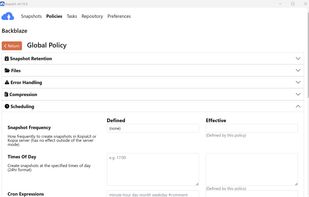
great, it saved 158 Gb in 2h30min on a usb hard disk with compression s2-default for file bigger than 1000000 bytes. The flow I had led me to create a global policy (indicated by username, host and path="*") that is then inherited by the specific snapshot. In the ignore files, it works when you start the paths from the saved folder. For example, I save "C:\Users\userName" and the lines I put in the ignore files are like : Documents/bla/bla/, Music/bla/bla (it works with a normal slash, although windows usually use the counterslash)
very customizable and open source