One user friendly tool that simplifies Android device management, enabling efficient data transfer, backup, and restore, making it an essential tool for seamless and secure Android device operations.
Effortlessly Manage Various Media Files
With a burgeoning media library on your phone, MobiKin Assistant for Android stands out as the ideal iTunes substitute, offering flexible management options for your media collection.
- Easily export songs and videos from your Android device to computer.
- Seamlessly import file or folder of videos or music from computer.
- Streamline your Android device by de-duplicating or deleting songs and videos to create more space.
Efficiently Arrange Photos or Photo Albums on Your Computer
Photos hold wonderful memories of our past lives, but an excess of photos can slow down your smartphone. Proper photo management becomes essential.
- Transfer camera roll and photo library from Android devices to your computer.
- Import pictures from your computer to Android devices.
- Easily add, delete, or rearrange Android device albums on your computer, allowing you to move pictures freely between albums.
Securely Manage Android Contacts and SMS
Sending messages and making phone calls are fundamental functions of a mobile phone. Therefore, it's crucial to find a simple way to create, edit, delete, backup, and restore our personal information, including contacts, messages, and call history.
- Back up contacts, messages, and call history in readable formats like CSV, HTML, XML, etc., and restore them to any phone whenever needed.
- Import vCard and Outlook files to your Android phone.
- Synchronize Android contacts with Outlook.
- Create/edit contacts, delete unwanted personal information on your computer.
- Receive and send SMS on your computer.
Expertly Handle Apps and All Files
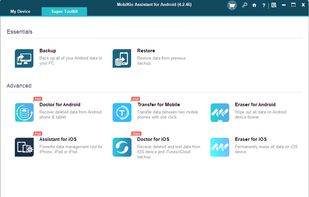
MobiKin Assistant for Android effortlessly manages nearly all types of files on your phone. It allows you to swiftly batch install, uninstall, and back up multiple apps. Easily navigate through files by category and quickly locate desired items through keyword searches. Experience the most comprehensive and user-friendly content management ever.
Back Up & Restore Android Data with 1 Click
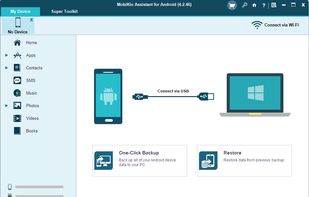
Tired of accidentally losing files from your Android phone? Put an end to this predicament with MobiKin Assistant for Android. This tool allows you to effortlessly back up all data from your Android device to your computer with just one click, and you can restore the backup files whenever needed.
- Back up various data, including contacts, call history, SMS, photos, videos, music, apps, books, etc., from Android to computer. Restore them to Android effortlessly with a single click.
- Media files are backed up with 100% quality preservation.
- Conveniently save your Android backup files wherever you prefer on your computer or external storage.







 TheEmperorArt added MobiKin Assistant for Android as alternative to Coolmuster Android Assistant
 TheEmperorArt added MobiKin Assistant for Android as alternative to iReaShare Android Manager


 MobiKin
Comments and Reviews
I like this data manager tool. One of my friends recommended me to choose MobiKin last year, so I gave them a try. Pricing is really cheap and it allow one-click backup all files. Very convenient to use.
I was searching for an Android assistant for a nice price. Googling and reading several forums, including this site, I have chosen Mobikin. It is quick and perfect. I am so pleased to have found Mobikin and would recommend them to anyone looking for an Android assistant.
I need a easy-to-use tool to backup and move my huge files from Huawei to computer.After searching a lot, I decided to use MobiKin Assistant for Android. Fully met my expectations.Thanks a lot.