


MSI Afterburner
154 likes
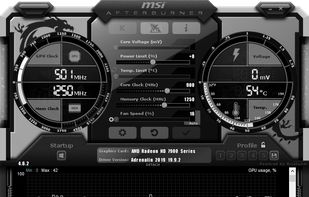
Comprehensive tool offering GPU overclocking, video and screen capture, and overlays, with support for Nvidia and ATI cards. Features Kombustor stress test, portable use, ad-free experience, manual exclusion of false positives in displays, and multiple video compression options.

Cost / License
- Free
- Proprietary
Application typeApplication types
Platforms
- Windows


Features
MSI Afterburner News & Activities
Highlights All activities
Recent News
No news, maybe you know any news worth sharing?
Share a News TipRecent activities
 Mustafa-6478 added MSI Afterburner as alternative to VidShrink
 foxhead_edu123 added MSI Afterburner as alternative to NVLite
- minewefu added MSI Afterburner as alternative to Afterglow (GPU tuning)
- VyomStark liked MSI Afterburner
- konsupreme liked MSI Afterburner
 vuplea added MSI Afterburner as alternative to simple-nvidia-undervolt
 bravely added MSI Afterburner as alternative to Graf
 ilikemacos added MSI Afterburner as alternative to MacBar
- imericforman liked MSI Afterburner
 POX added MSI Afterburner as alternative to MenuBarMonitor


Featured in Lists

This is the apps for Windows 11 that I would recommend to anyone who just got a PC ! The same list...
List by Darlene Sonalder with 142 apps, updated

A list with 807 apps by AmileyaRyver without a description.
List by AmileyaRyver with 807 apps, updated
If you are passionate about gaming and you are looking for the best free programs to improve your experience while you...
List by Paul with 11 apps, updated
What is MSI Afterburner?
MSI Afterburner Videos
MSI Afterburner information
Developed by
 MSI
MSI Licensing
Proprietary and Free product.Rating
Average rating of 3.5Alternatives
52 alternatives listedBadge
Get an embeddable badge for MSI AfterburnerSupported Languages


Comments and Reviews
By some reason msi.com tries to bundle it with "Norton 360 for gamer". Looks like guru3d.com brings you the program without bloatware.
There very few reason to use it
If you want the overlay feature : just use Rivatuner Statistics Server (RTSS). It's exactly what is behind Afterburner without all the other features
You want the fps limiter ? same as above.
You want to tweak your GPU ? choose better specialized software dedicated to your GPU brand (not graphic card manufacturer) For example, the stock one given by AMD with the driver is far better
Overall, MSI Afterburner is a decent tool for overclocking your GPU. However, the main reason I personally use it is because The newer NVIDIA application ends up overheating my older GPU. I found Out very quickly that the NVIDIA 2070 Super, while a great graphics card, didn't play well with the newer updated application that NVIDIA puts out, and it pretty reliably would overheat it. My assumption is that the application is used to better, newer cards with better heat displacement etc., but that's just a guess. The biggest pros of the software by far are the fact that it s fairly easy and intuitive to set up. I would recommend setting up a manual chart in your settings for your fan speeds at given temperatures. And for anyone in a situation like me, just so you know, you can Rin this and the NVIDIA application at the same time. That way, the graphics card can still benefit from the driver updates, but the afterburner program will pretty much oversee the cooling of the card.
One redditor said:
Kombustor: causes the GPU to consume so much power that on older GPUs it can damage the GPU or on newer GPUs it will cause the GPU to downclock and protect itself but then it is not testing at full speed.
Okay, but I prefer simpler applications.
OS should do any skins and themes if any. It tells total RAM usage, not for current process. It tells total VRAM usage, not for current process. It tells total CPU load, not for current process.
No DXVK/OpenGL/Vulkan indicator. No Proton version when used with Steam client. No frame-time graph over time out of box.
Obviously, available for android, not for GNU/Linux. Why?
On Android? You mean the mobile app? Because all that dose is show you the same stats coming from your PC. You have to install a "server" app on your PC, then your phone connects to it through the mobile app so you can see more detailed info without having a huge amount on the in game overlay. It dose not overclock or mess with the Android phone's hardware in anyway. It's basically just a second screen.
So just because that exists dose not mean it would be any help at all for the devs to create a Linux version.
aLTERNATIVE: OCAT
Welcome to OCAT, the Open Capture and Analytics Tool. If you want to know how well a game is performing on your machine in real-time with low overhead, ...