




Open Hardware Monitor
270 likes
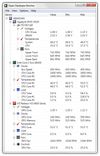
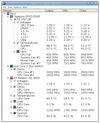
The Open Hardware Monitor is a free open source software that monitors temperature sensors, fan speeds, voltages, load and clock speeds of a computer.


 EU
EUPlatforms
- Windows
- Mono
Discontinued
There has not been any code change since December 2020, also the community now wonders if it is abandoned: https://github.com/openhardwaremonitor/openhardwaremonitor/issues/1471 There also seems to be a fork called LibreHardwareMonitor (which is already listed as an alternative) and appears to be the most active fork right now.

Features
Open Hardware Monitor News & Activities
Highlights All activities
Recent News
No news, maybe you know any news worth sharing?
Share a News TipRecent activities
 Marian-Nae added Open Hardware Monitor as alternative to TrayTemps
 elharakimm added Open Hardware Monitor as alternative to PGA System Monitor
 POX added Open Hardware Monitor as alternative to LACT
 Obscrum added Open Hardware Monitor as alternative to PC HW Monitor
 ilikemacos added Open Hardware Monitor as alternative to MacBar
 POX added Open Hardware Monitor as alternative to MenuBarMonitor
 dvalfrid added Open Hardware Monitor as alternative to RIGStats
 chililikobo added Open Hardware Monitor as alternative to Ohnuki-san Lite
- chililikobo added Open Hardware Monitor as alternative to Ohnuki-san Lite
 POX added Open Hardware Monitor as alternative to ShotGlass


Featured in Lists

A list with 807 apps by AmileyaRyver without a description.
List by AmileyaRyver with 807 apps, updated

A list with 117 apps by RemovedUser without a description.
List by RemovedUser with 117 apps, updated

This is what I install on a new computer. Strong preference towards free and open source software. Hand picked.
List by amenthes with 45 apps, updated
What is Open Hardware Monitor?
Open Hardware Monitor information
Developed by
 Michael Möller
 Licensing
Open Source and Free product.Written in
Rating
Average rating of 4.2Alternatives
89 alternatives listedBadge
Get an embeddable badge for Open Hardware MonitorSupported Languages

AlternativeTo Categories
OS & Utilities, System & HardwareGitHub repository
- 6,448 Stars
- 1,311 Forks
- 1093 Open Issues
- Updated


Comments and Reviews
Why I like Open Hardware Monitor: This is one of the only apps I can find, other than SpeedFan and MSI Afterburner, that reads my GPU and CPU temperatures AND can put the values in the System Tray.
I can also put fan speeds, clock speeds, and any of many other values it reads in the Sys Tray. SpeedFan works, but crashes a lot for me. MSI Afterburner works too, albeit through a far more complex interface, and the (bitmapped/blocky/unscalable) tray font is hard to read. Open Hardware Monitor is small, straightforward, has an easy to read (and antialiased/scalable) tray font, and is easier to configure for novices. 5 stars.
[Nvidia GTX 1070 and AMD Phenom II X4 955 Black Edition.]
[Edited by toddgm, August 20]
It's a descent app, as soon as you own old hardware, because it's updated every 2 years (last update Nov 2016). If you have new hardware, it's very possible to have wrong values for sensors, like I have (-25 Celsius for my motherboard's temperature!)
hey, this app was last updated in December 2020, and yep, there was a big gap between Nov 2016 - Feb 2020
Missing most data - use Libre Hardware Monitor instead.
Pro: Can display desired data in systray icons. Con: Requires admin privileges to read CPU temperature
I liked that it was free, concise and fast
For me, THE BEST, simple open-source app for monitoring my hardware temperature and resources. Straight to the point. Has got a widget. No installation required. Small footprint.
straightforward and simple to use