





RIGStats
2 likes
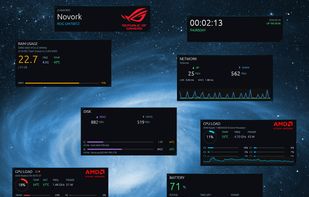
Real-time hardware monitor for Windows gaming PCs — built for a dedicated secondary display. Free, open source, no telemetry.

Cost / License
- Free
- Open Source (MIT)
 EU
EUPlatforms
- Windows


Features
RIGStats News & Activities
Highlights All activities
Recent activities
 Fla added RIGStats as alternative to Tray Monitor
- niksavc liked RIGStats
 dvalfrid added RIGStats as alternative to EF System Monitor
 dvalfrid added RIGStats as alternative to Athena (by SebaUbuntu)
 dvalfrid added RIGStats as alternative to PassMark BurnInTest and PCMark
 dvalfrid added RIGStats as alternative to UserBenchMark
 dvalfrid added RIGStats as alternative to Phoronix Test Suite


RIGStats information
Developed by
 dvalfrid
 Licensing
Open Source (MIT) and Free product.Written in
Alternatives
45 alternatives listedBadge
Get an embeddable badge for RIGStatsSupported Languages

AlternativeTo Categories
OS & Utilities, System & HardwareGitHub repository
- 12 Stars
- 1 Forks
- 17 Open Issues
- Updated


No comments or reviews, maybe you want to be first?