My Notes - Quick & Easy Notes icon

My Notes - Quick & Easy Notes

My Notes makes it easy to create and organize your notes quickly. Save notes in categories, set reminders, and even add photos to make your notes more memorable. With My Notes, you can also share your notes with others and back them up for easy recovery. Features include:
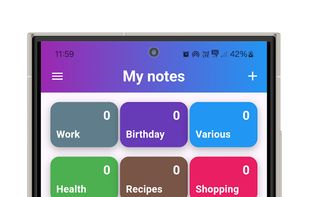
My Notes - Quick & Easy Notes screenshot 1

Cost / License

  • Free
  • Proprietary

Application type

Platforms

  • Android
0likes
0articles

Features

Properties

  1.  Lightweight
  2.  Privacy focused

Features

  1.  PDF annotation
  2.  No registration required
  3.  Reminders
  4.  No Tracking
  5.  Calendar Integration
  6.  Encrypted Backup
  7.  Cloud Sync
  8.  Hierarchical Structure
  9.  Goal Tracking
  10.  Works Offline
  11.  Dark Mode
  12.  Full-Text Search
  13.  Photo notes

My Notes - Quick & Easy Notes News & Activities

Highlights All activities

Recent activities

No activities found.

My Notes - Quick & Easy Notes information

AlternativeTo Categories

Office & ProductivityBackup & Sync
My Notes - Quick & Easy Notes was added to AlternativeTo by Anastasios Meresentzes on and this page was last updated .
No comments or reviews, maybe you want to be first?

Official Links

What is My Notes - Quick & Easy Notes?

My Notes makes it easy to create and organize your notes quickly. Save notes in categories, set reminders, and even add photos to make your notes more memorable. With My Notes, you can also share your notes with others and back them up for easy recovery. Features include:

  • Quick and easy note creation
  • Category organization for easy access
  • Reminder settings to keep you on track
  • Photo integration in notes
  • Sharing options to collaborate with others
  • Backup support for safe storage.
  • OCR functionality to extract text from images using Google Vision API.

My Notes - Quick & Easy Notes Videos