




OpenRPA
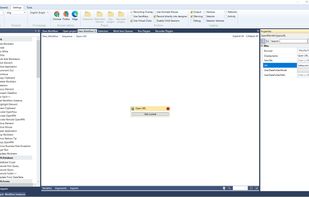
OpenRPA automates repetitive tasks performed by humans to cut costs, eliminate keying errors, speed up processes, and easily link applications together. These tasks can be converted into a business process and then automated.

Cost / License
- Free
- Open Source (MPL-2.0)
Application type
 EU
EUPlatforms
- Windows
- Online
- Microsoft Edge
- Google Chrome
- Python
- AutoHotkey
- JavaScript
- Software as a Service (SaaS)
- Mozilla Firefox


Features
OpenRPA News & Activities
Recent activities
 yjc-web added OpenRPA as alternative to AutoFlow RPA
This is the best free browser-interactive automation tool I'm seeing around. Command structure looks very workable, and the drag'n drop method is pleasant to use. It is open source and has active community development. One star off for not giving format clues.. for instance, how to show timeouts.. all you get is a blank box where you have to guess how to put time increments.. that makes it a lot less intuitive. Using my Comet Browser Assistant for guidance, this still looks workable. The...
 TBayAreaPat added OpenRPA as alternative to Pulover’s Macro Creator
- TBayAreaPat updated OpenRPA
- TBayAreaPat liked OpenRPA
- TBayAreaPat commented on OpenRPA
This is the best free browser-interactive automation tool I'm seeing around. Command structure looks very workable, and the drag'n drop method is pleasant to use. It is open source and has active community development. One star off for not giving format clues.. for instance, how to show timeouts.. all you get is a blank box where you have to guess how to put time increments.. that makes it a lot less intuitive. Using my Comet Browser Assistant for guidance, this still looks workable. The...
 mlogictech added OpenRPA as alternative to Playlist Wiper




OpenRPA information
Developed by
 Allan Zimmermann
 Licensing
Open Source (MPL-2.0) and Free product.Written in
Alternatives
15 alternatives listedBadge
Get an embeddable badge for OpenRPASupported Languages

AlternativeTo Categories
Office & Productivity, Security & Privacy, Business & CommerceGitHub repository
- 3,062 Stars
- 659 Forks
- 2 Open Issues
- Updated


Comments and Reviews
This is the best free browser-interactive automation tool I'm seeing around. Command structure looks very workable, and the drag'n drop method is pleasant to use. It is open source and has active community development. One star off for not giving format clues.. for instance, how to show timeouts.. all you get is a blank box where you have to guess how to put time increments.. that makes it a lot less intuitive. Using my Comet Browser Assistant for guidance, this still looks workable. The question with this, and other programs, is "how much time should you spend learning a particular program when ai advances are pushing out more automated software rapidly?" in this type case, Atlas for Mac, and Chrome's new (not free) interactive program.