OwnClip is a macOS app that replaces multiple tools including a screen recorder, screenshot tool, video editor, webcam enhancer, and sharing service. It's built on Apple's core frameworks with AI models and is not a browser wrapper. It offers hardware-encoded recording and AI features that run on your Mac.
You can record full screen, a single window, or a selected region up to 4K. Features include system audio recording without a virtual driver, microphone with live level metering, a floating webcam bubble, a 3-2-1 countdown, and global hotkeys. You can also draw on the screen during recording.
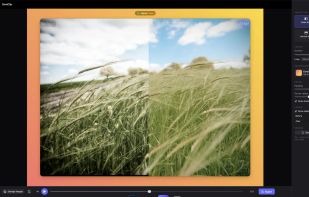
The app provides a multi-track timeline for editing, allowing you to trim, cut, and split. It automatically removes silences, adds cinematic zoom, adjusts speed, and inserts chapters. Additional features include captions from on-device transcription, an audio mixer with noise removal and voice clarity, and a text and sticker layer. You can export your work as MP4, HEVC, ProRes, or GIF.
OwnClip includes a full screenshot editor with features like arrows, shapes, blur, redaction, and text. You can extract text from any image with OCR, erase objects and people from a screenshot, blur faces, and fill and sign PDF form fields without uploading the document.
You can upload files to your Google Drive and get a clean, branded viewer link. The files remain in your account, not on a third-party server.
All AI features run locally on the Neural Engine and GPU. Recordings are saved as files in ~/Movies/OwnClip and are not uploaded unless you choose to share them.
The app is free with a 3-minute recording limit, 720p, and a watermark. Pro costs $39 and Studio costs $99, both are one-time fees. OwnClip requires macOS 26 (Tahoe) or later, Apple Silicon (M1 or newer), and ~150 MB of space.