





Ownvox
1 like
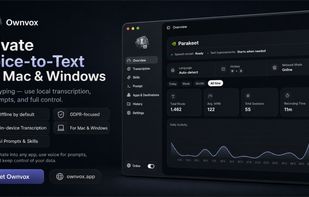
Ownvox turns your voice into text anywhere on your Mac. Press one hotkey, speak, and your words appear right at your cursor, whether you are in Mail, your browser, an editor, notes, or a team chat. No copy-paste, no per-app plugins.

Cost / License
- Subscription
- Proprietary
Platforms
- Mac
- Windows


Features
Ownvox News & Activities
Highlights All activities
Recent activities
 usevoicywithRB added Ownvox as alternative to Voicy - Speech to Text
- POX updated Ownvox
- Ownvox liked Ownvox
- Ownvox added Ownvox
 Ownvox added Ownvox as alternative to WhisperTyping, MacWhisper, Superwhisper and Super Voice Mode


Ownvox information
Developed by
UnknownLicensing
Proprietary and Commercial product.Pricing
Subscription ranging between $7 and $9 per month.Alternatives
22 alternatives listedBadge
Get an embeddable badge for OwnvoxSupported Languages


No comments or reviews, maybe you want to be first?