




Panels for MacOS
Like
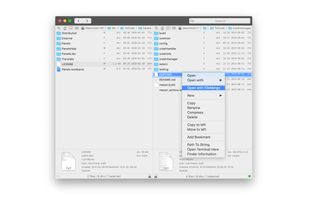
Panels allows users to interact with macOS local file systems using two view instances placed side by side called panels.

Cost / License
- Free
- Proprietary
Application type
 EU
EUPlatforms
- Mac


Features
Panels for MacOS News & Activities
Highlights All activities
Recent activities
No activities found.
Panels for MacOS information
Developed by
 Alin Popa
 Licensing
Proprietary and Free product.Alternatives
9 alternatives listedBadge
Get an embeddable badge for Panels for MacOSSupported Languages


Comments and Reviews
Pros: • Very basic, lightweight. • Supports Light mode and Dark mode. • Supports Bookmarks. • Has low-level settings for copying/moving. You need to be a real nerd to understand them.
Cons: • Discontinued: I have v.1.6 (19) from 2020. The site is down. • Doesn't support tabs. • The only pane view mode is Table (columns), but it lacks table head (column headers), so you can't change the sorting mode quickly. • Sorting mode is changed only in Settings: files — by Name, Date, Size. Sort by Type is unavailable. Folders can be sorted to the top. • Very little customization: you can't set the font-size or colors. The default font-size is quite small for me. The colors are standard, but I'd add white background to the light mode instead of the grey one.