PDF Arranger Alternatives

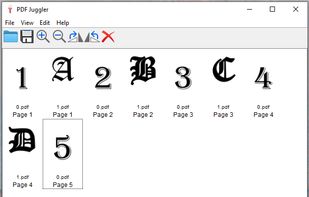
PDF Arranger is described as 'Small python-gtk application, which helps the user to merge or split pdf documents and rotate, crop and rearrange their pages using an interactive and intuitive graphical interface' and is a very popular PDF Editor in the office & productivity category. There are more than 50 alternatives to PDF Arranger for a variety of platforms, including Windows, Web-based, Mac, Linux and Android apps. The best PDF Arranger alternative is PDF-XChange Editor, which is free. Other great apps like PDF Arranger are Stirling-PDF, PDFsam, PDF24 Creator and Adobe Acrobat DC.

filter to find the best alternatives

PDF Arranger alternatives are mainly PDF Editors, but if you're looking for PDF Readers or PDF Printers you can filter on that. These are just examples - use the filter bar below to find more specific alternatives to PDF Arranger.
Copy a direct link to this comment to your clipboard
PDF Arranger alternatives page was last updated

Alternatives list

  1. This service enables you to split PDF documents free of charge. All you need to do is select the PDF documents that you want to split up on your computer, specify the desired page range, and click a button, as instructed below.

    Cost / License

    • Free
    • Proprietary

    Platforms

    • Online
     
  2. Bookmark PDF is a free, browser-based tool designed to simplify the process of adding, editing, and organizing bookmarks in PDF files. Unlike traditional tools, Bookmark PDF operates entirely online, ensuring maximum privacy and security for your documents.

    Cost / License

    • Free
    • Proprietary

    Application type

    Platforms

    • Online
     
  3. PDF Merge is a simple user-friendly application that allows you to merge multiple PDF documents including scanned / imported documents and images into 1 PDF.

    Cost / License

    • Free
    • Proprietary

    Application type

    Alerts

    • Discontinued

    Platforms

    • Windows
     
  4. Free PDF Splitter Merger is a free and advanced application for splitting and merging PDF Documents and for extracting or deleting page from them. The application is simple to be used but it is also possible to set various complicated criteria.

    Cost / License

    • Free
    • Proprietary

    Platforms

    • Windows
     
  5. Easily combine multiple PDF files with drag-and-drop organization. Arrange files in any order for seamless fast merging.

    Cost / License

    • Free
    • Proprietary

    Platforms

    • Microsoft Edge
    • Google Chrome
     
  6. Looking for a powerful off-road PDF editor with a very light price. You found it! PDF ShapingUp is a comprehensive editor allowing you to create, manage and edit any PDF documents thanks to its many integrated tools.

    Cost / License

    • Paid
    • Proprietary

    Application types

    Platforms

    • Windows
     
  7. VivPDF Editor icon
     2 likes

    It's virtually the fastest solution for users to edit PDF documents in any circumstances, all you need to do is several clicks!.

    Cost / License

    • Paid
    • Proprietary

    Application type

    Platforms

    • Windows
     
  8. Advanced PDF Utilities Free comes in handy when you need to deal with PDF files such as to merge or split pages, convert PDF to text & convert image to PDF or vice versa. This multipurpose program comes with its nice, clean user interface covering most functions.

    Cost / License

    • Free
    • Proprietary

    Alerts

    • Warning

    Platforms

    • Windows
     
  9. pdfly icon
     1 like

    pdfly (say: PDF-li) is a pure-python CLI application for manipulating PDF files.

    Cost / License

    Platforms

    • Python
    • Mac
    • Linux
    • Windows
    • BSD
     
  10. RevPDF icon
     2 likes

    Professional PDF tools without the cloud. 100% offline, native performance, and zero data collection. Your documents stay where they belong: on your device.

    Cost / License

    • Freemium
    • Proprietary

    Application types

    Platforms

    • Mac
    • Linux
    • Android
    • Android Tablet
    • Windows
    • iPhone
    • iPad
     
You are at page 5 of PDF Arranger alternatives