PDF Toolbox icon
PDF Toolbox icon

PDF Toolbox

Split, merge, compress, watermark, Bates-number, password-protect, sign and scan PDFs. One app, bought once. Nothing uploaded. Every PDF it writes is verified.
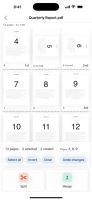
PDF Toolbox screenshot 1
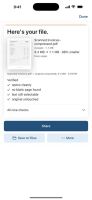
PDF Toolbox screenshot 2
+3
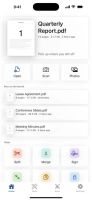
PDF Toolbox screenshot 3

Cost / License

  • Pay once
  • Proprietary

Platforms

  • iPhone
0likes
0articles

Features

No features, maybe you want to suggest one?

PDF Toolbox News & Activities

Highlights All activities

Recent activities

PDF Toolbox information

  • Developed by

    noshu
  • Licensing

    Proprietary and Commercial product.
  • Pricing

    One time purchase (perpetual license) that costs up to $3.
  • Alternatives

    6 alternatives listed
  • Badge

    Get an embeddable badge for PDF Toolbox
  • Supported Languages

    • English
PDF Toolbox was added to AlternativeTo by noshudotnet on and this page was last updated .
No comments or reviews, maybe you want to be first?

Official Links

What is PDF Toolbox?

Fifteen tools, one app, bought once: split a PDF by page ranges (1-3,7,9-12) or every N pages; merge several PDFs in order, interleaved or reversed; compress and see the real before/after size; add a watermark, page numbers or Bates numbers; set or remove a password; read the words off a scan so they can be selected and searched; and run a job across many files at once.

The real problem with a PDF app is not whether it works offline. It is what it does to your file once you trust it: corrupted files, blank saves, lost annotations, disappearing pages. PDF Toolbox is built around one rule — your file is never modified, and every PDF it writes is checked before you see it. Your original is opened read-only; every job builds a new file, checks it, and only then hands it to you. If a check fails you get a plain error and no file, never a broken one labeled as done.

Bought once. Fully offline — no account, no analytics, no network requests.