


PDF X
1 like
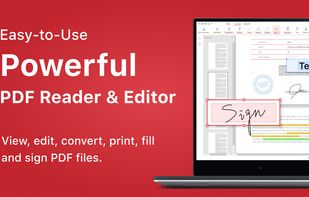
PDF X is a productive PDF reader & editor for Windows. It's powerful for users to view, print, edit, and annotate Adobe Acrobat PDFs.

Cost / License
- Freemium (Pay once or Subscription)
- Proprietary
Application typeApplication types
Platforms
- Windows


Features
PDF X News & Activities
Highlights All activities
Recent activities
 OrdinaryPerson added PDF X as alternative to PDFx (by AlexandrosGounis)
 TheEmperorArt added PDF X as alternative to Perfect PDF Reader
 mhrsntrk added PDF X as alternative to Velum Privacy
 dcarrero added PDF X as alternative to files.co PDF Suite
 bgalvan added PDF X as alternative to No Bloat PDF
 Ncored added PDF X as alternative to PDF-XChange Viewer
 sanusihassan added PDF X as alternative to PDFSimplified




PDF X information
Developed by
 NG PDF Lab
 Licensing
Proprietary and Freemium product.Pricing
One time purchase that costs $50, and / or subscription that costs $3 per month + free version with limited functionality.Alternatives
78 alternatives listedBadge
Get an embeddable badge for PDF XSupported Languages
AlternativeTo Category
Office & Productivity


No comments or reviews, maybe you want to be first?
