


Process Hacker
330 likes
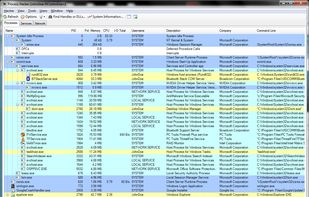
A free, powerful, multi-purpose tool that helps you monitor system resources, debug software and detect malware.

Platforms
- Windows
- PortableApps.com


Discontinued
It now redirects to  System Informer.

Features
Process Hacker News & Activities
Highlights All activities
Recent News
No news, maybe you know any news worth sharing?
Share a News TipRecent activities
- TBayAreaPat commented on Process Hacker
Github Link goes to superceding System Informer. System Informer only gives very vague color coding for possible malware vs CrowdInspector which does give ratings.
- sredfred liked Process Hacker
Featured in Lists

Useful apps for Windows Additional...
List by tbdsch with 77 apps, updated

A list of everything I used and I find cool / usefull, also trying to search for the best software
List by OzakI with 62 apps, updated

A list with 46 apps by rabbit5 without a description.
List by rabbit5 with 46 apps, updated
What is Process Hacker?
Process Hacker information
Developed by
 wj32
wj32 Licensing
Open Source (MIT) and Free product.Written in
Rating
Average rating of 4.8Alternatives
50 alternatives listedBadge
Get an embeddable badge for Process HackerSupported Languages

AlternativeTo Categories
OS & Utilities, System & Hardware, Network & AdminGitHub repository
- 16,005 Stars
- 1,785 Forks
- 286 Open Issues
- Updated


Comments and Reviews
It's the best task manager I've seen so far, first it's true that I don't use all features, but the one that help me a lot is the "threads" tab, when looking at a process/service properties.
Really useful because you can see what DLL do what, how much resources it eat (like the one that contain windows update search "wuaueng.dll" that eat a lot of CPU sometimes, I just suspend it some minutes when starting update, and resume it to have an ultra fast update ^3^).
After this, there's a lot of info, the little tray icons that show a popup displaying CPU, GPU, RAM, Network, Disk, I/O,… they can be all displayed at the same time too, with little graphs !
There's a lot more, like the multi-tests to close a process, saving priority of each process (but only work if process hacker is running), displaying a lot of data in columns, displaying graphs… there's really a lot !
But the biggest issue… like process explorer if your computer run high, like playing a game or using a game engine, photoshop, or any software that need some RES, it'll crash… (well a lot of times it crash when I open the explorer.exe or do some lowly tasks and my CPU is low…).
Hope to see a really stable version, or an alternative that's as good as this one !
Github Link goes to superceding System Informer. System Informer only gives very vague color coding for possible malware vs CrowdInspector which does give ratings.
As of June 2022 Process Hacker has been superseded by System Informer.
https://twitter.com/aionescu/status/1536494552105766912
Process Hacker supports Windows 7, System Informer is Windows 10 / 11 only.
While the argument can be made that supporting as many environments as possible is a benefit, official Windows 7 support has ended ten years ago (January 2015), with extended support for it ending five years ago (January 2020).
The remark was made for the sake of clarity, since the information about the difference in supported operating systems was mentioned on its official site (which now redirects to System Informer).
It just disappeared from Github. And the repo is now pointing to the old project, and under other team. What happened?
Beautiful application, both to look at, and to use. It's one of my mainstays.
I've been using Process Hacker as long as it's been available. There's so much that can be said about it that a review could nearly become a book-length enterprise, but I'll refrain.
Process Hacker is vastly superior to Process Explorer, because it simply provides much more information about processes, services, and network, disk, and firewall activity, etc.
The new dark mode in Process Hacker took me some time to get used to, but now I love it.
I've been running Process Hacker nightly versions for years, and have never had a stability issue. Process Hacker updates can be invoked and applied manually using the UI, and the process is so fast and easy that it's always staggering to see, when you compare it to the drudgery you usually have to go through to update an application. It's literally just a few clicks.
Process Hacker is constantly targeted for false detection by so-called antivirus applications, including Microsoft Defender. If you run Process Hacker and use Microsoft Defender, I'd strongly recommend excluding it from detection, or you'll eventually be aggravated to find that it's been deleted. You can do this in the Defender UI, but I did it in Group Policy by excluding the following directories:
The installation directory (e.g. "C:\Program Files\Process Hacker")
%AppData%\Process Hacker
%AppData%\Process Hacker\cache*\ (Directories of this mask are created during Process Hacker UI-invoked updates. The website is not displaying this path correctly after I submit... It ends with backslash, "cache", backslash, asterisk, backslash)
Any Task Scheduler tasks that invoke Process Hacker, by specifying the directory the task resides in (e.g. %SystemRoot%\System32\Tasks\path\to\task)
Just to note, I used the actual directory names -- not environment variables -- when I added the exclusions on my system.
I moved from SystemExplorer. It does exactly what I used SystemExplorer previously for: making default program priorities. Bonus that Process Hacker is open source.
Exactly the alternative I wanted to Windows' Task Manager. It's much better in basically every way with way more options and ability to analyze, and runs much much faster. Get the Nightly version though - the 2.X version doesn't report GPU correctly and the nightly (3.X) has far more features to play with.
To be clear this is still very much in development and receives frequent updates - just not the stable version. The nightly version is always improving