ScreenPen AlternativesDigital Painting & Screenshot Capture Tools like ScreenPen

ScreenPen is described as 'Screen annotation software which allows drawing directly on the screen. It is an open source and multiplatform (all systems that support Python) alternative to tools such as Epic Pen' and is a digital painting tool in the photos & graphics category. There are more than 10 alternatives to ScreenPen for a variety of platforms, including Windows, Mac, Linux, PortableApps.com and Ubuntu apps. The best ScreenPen alternative is CapyCursor, which is free. Other great apps like ScreenPen are Epic Pen, ZoomIt, gInk and Screen Marker and Recorder.

Copy a direct link to this comment to your clipboard
ScreenPen alternatives page was last updated

Alternatives list

  1. CapyCursor icon
     6 likes

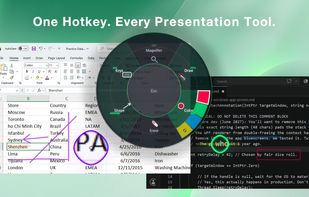
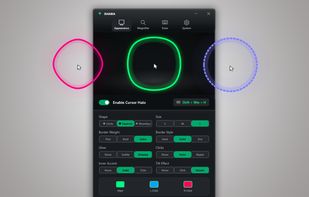
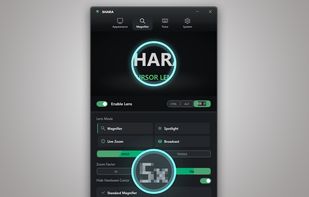
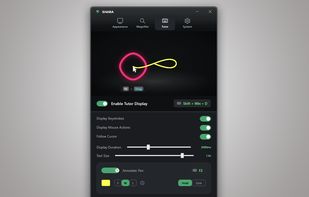
    Lightweight application offering real-time screen annotation, drawing, highlighting, spotlight, and zoom features with customizable tools, hotkey support, and easy cleanup. Ideal for teaching, business presentations, tutorials, and live demonstrations.

    53 CapyCursor alternatives

    Cost / License

    • Free
    • Proprietary

    Alerts

    • Discontinued

    Platforms

    • Windows
     
  2. Epic Pen icon
     20 likes

    Turn your desktop into a workspace with Epic pen's intuitive drawing tools, enabling free-hand annotation over any app. Supports Windows platform with lightweight features, offline usability, screenshot capture, and comprehensive hotkey functionalities for seamless interaction.

    28 Epic Pen alternatives

    Cost / License

    • Freemium
    • Proprietary

    Application type

    Platforms

    • Windows
     
  3. ZoomIt icon
     30 likes

    ZoomIt is screen zoom and annotation tool for technical presentations that include application demonstrations. ZoomIt runs unobtrusively in the tray and activates with customizable hotkeys to zoom in on an area of the screen, move around while zoomed, and draw on the zoomed...

    35 ZoomIt alternatives

    Cost / License

    • Free
    • Proprietary

    Application type

    Platforms

    • Windows
    • PortableApps.com
     
  4. This app allows you live drawing and taking notes over desktop applications. There are also tools for screen recording and making screenshots. It is great tool for creating presentations, tutorials, manuals, animations, video or streaming.

    Cost / License

    • Free
    • Proprietary

    Application type

    Platforms

    • Windows
     
  5. ZoomShot icon
     Like

    A live screen effect layer for macOS that adds real-time zoom, cursor spotlight/highlight, and freehand drawing directly on your screen.

    Cost / License

    • Freemium
    • Proprietary

    Platforms

    • Mac
     
  6. ClickLight is a macOS menu bar app that highlights clicks during live demos, screen sharing, UX reviews, and other instances where viewers need to track your actions. Unlike screen recorders that add click effects post-recording, ClickLight allows viewers to see when you clicked...

    Cost / License

    • Free
    • Open Source (MIT)

    Platforms

    • Mac
    • Homebrew
     
  7. Pointofix icon
     2 likes

    Every screen content can be made available as a digital drawing area so that you can mark and highlight important things. Thus Pointofix is ideal for you as a teacher or IT trainer to support your lectures, training courses and presentations.

    19 Pointofix alternatives

    Cost / License

    • Free
    • Proprietary

    Platforms

    • Windows
     
  8. Wayscriber icon
     2 likes

    Live overlay for drawing, annotating, hiding text, and capturing screenshots on Linux. Can be used as whiteboard or blackboard. Highly customisable.

    Cost / License

    • Free
    • Open Source (MIT)

    Platforms

    • Linux
     
  9. FlowInk icon
     1 like

    FlowInk is a lightweight, free screen annotation (overlay drawing) tool designed specifically for Windows. It lets you draw, write, or scribble directly on top of any open application, desktop, or screen in real time.

    Cost / License

    • Free
    • Open Source

    Platforms

    • Windows
     
12 of 16 ScreenPen alternatives