

SHARA
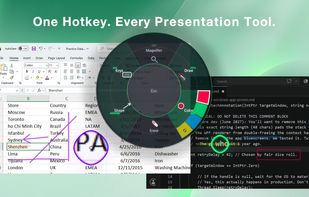
Provides mouse pointer highlighting with animated glow and 3D tilt, lag-free click-through magnification with customizable zoom modes, and a sleek keystroke visualization overlay. Fully local, privacy-first utility for presentations, coding, streaming, and more on Windows.
Cost / License
- Pay once
- Proprietary
Application types
Platforms
- Windows
SHARA News & Activities
Recent activities
- mashyo updated SHARA
mashyo added SHARA as alternative to Glassbrick
mashyo added SHARA as alternative to Magnifixer
mashyo added SHARA as alternative to Virtual Magnifying Glass
SHARA information
What is SHARA?
Never lose your cursor, your detail, or your audience.
SHARA is a premium Windows cursor highlighter, screen magnifier, annotation tool, and keystroke visualizer for people who teach, present, record, stream, and explain software on screen.
Use SHARA to make tutorials clearer, code walkthroughs easier to follow, online lessons more readable, product demos more polished, and screen recordings less dependent on post-production zooms.
Cursor highlighter
Make your mouse easy to follow with a polished halo that stays visible while you work. Choose Circle, Squircle, or Rhombus shapes, then tune size, border weight, border style, glow, inner accents, click animations, ripple effects, and separate left-click and right-click colors.
Draw on screen
Use Pen mode to draw persistent marks over apps, windows, videos, and presentations. Undo the last stroke with Ctrl+Z, clear marks quickly with Escape, and switch back to a temporary Laser pointer when you want to guide attention without leaving ink behind.
Screen magnifier and Lens modes
Zoom details live while you present or record. SHARA includes four Lens modes for different workflows:
- Magnifier: a picture-in-picture lens that follows your cursor
- Spotlight: dims the screen while keeping the cursor area clear
- Live Zoom: full-screen zoom controlled with the mouse wheel
- Broadcast: a vertical output window designed for streaming and recording workflows
Keystroke and mouse action visualizer
Show shortcuts, typed words, command keys, clicks, drags, holds, and scrolls in a clean floating pill. The Tutor display can follow your cursor, scale for high-DPI screens, hide after a delay, and suppress keystroke display while password fields are focused.
Live preview and fast setup
Tune the halo, magnifier, Tutor pill, Pen, Laser, hotkeys, auto-hide behavior, and system controls in a redesigned settings window with live previews. Set custom global hotkeys, reset them to defaults, and catch conflicts before you present.
Built for Windows presentation workflows
SHARA is designed for Windows 10 and Windows 11 creators, educators, developers, presenters, support teams, and remote workers. It is high-DPI, 4K, ultrawide, and multi-monitor friendly, with system tray controls, startup options, automatic hiding, and attention effects for everyday use.
Private by design
SHARA runs locally on your PC. No telemetry. No data collection. No account required.


