Should I Remove It? Alternatives

Should I Remove It? is described as 'Very simple website that helps users, both technical and non technical, decide what programs they should remove from their PC. This typically includes finding and removing all sorts of crapware and bloatware such as adware, spyware, toolbars, bundled' and is a software uninstaller in the os & utilities category. There are more than 25 alternatives to Should I Remove It?, not only websites but also apps for a variety of platforms, including Windows, Mac, Android, PortableApps.com and File Explorer apps. The best Should I Remove It? alternative is Bulk Crap Uninstaller, which is both free and Open Source. Other great sites and apps similar to Should I Remove It? are Revo Uninstaller, Canta, AppCleaner and Geek Uninstaller.

Copy a direct link to this comment to your clipboard
Should I Remove It? alternatives page was last updated

Alternatives list

  1. MacFly Pro icon
     1 like

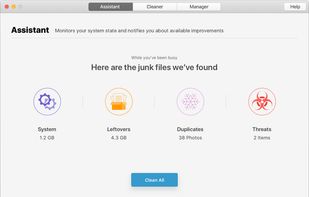
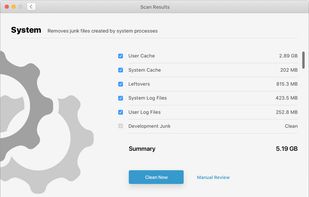
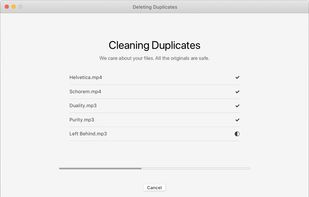
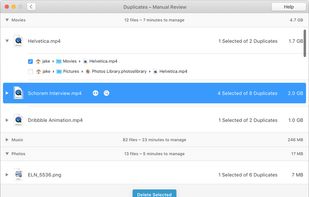
    MacFly Pro is a simple yet powerful Mac assistant that keeps an eye on your computer and ensures its well-being. The app cleans user and system caches, broken application data and media leftovers. MacFly Pro also handles duplicate files on your Mac and uninstalls rarely user...

    Cost / License

    • Paid
    • Proprietary

    Platforms

    • Mac
     
  2. DoYourData MacUninstaller is a smart Mac uninstaller that can completely remove unwanted applications. It also can remove the unwanted languages of the application.

    Cost / License

    • Paid
    • Proprietary

    Platforms

    • Mac
     
  3. Crap Killer icon
     6 likes

    Crap Killer is a CMD script which uses a Heuristic Detection Algorithm to find and automatically uninstall "crapware" (toolbars and 'coupon printers' for example) from all current versions of Windows.

    Cost / License

    • Free
    • Open Source

    Alerts

    • Discontinued

    Platforms

    • Windows
     
  4. iTrash icon
     1 like

    iTrash is an uninstall utility that uses a special search algorithm (Levenshtein Distance algorithm) to find all related files and deletes them when asked.

    Cost / License

    • Paid
    • Proprietary

    Application type

    Alerts

    • Discontinued

    Platforms

    • Mac
     
  5. WeCleanse icon
     Like

    Simple, Free, and Lightweight Mac Cleaner app that can reclaim gigabytes of free storage on your Mac. macOS System/Other junk cleaning now made easy.

    Cost / License

    • Free
    • Proprietary

    Application type

    Platforms

    • Mac
     
  6.  1 like

    This tool started as an internal helper module embedded inside my main platform, CrapFixer but it's now fully standalone.

    Cost / License

    • Free
    • Proprietary (MIT)

    Application type

    Platforms

    • Windows
     
  7. Security Task Manager shows comprehensible information about programs and processes running on the computer. For each Windows process, it improves on Windows Task Manager, providing:

    Cost / License

    • Paid
    • Proprietary

    Platforms

    • Windows
     
  8. Uninstaller sensei - app for complete removal applications and files that are associated with them.You can remove installed apps or uninstall just dragging it.

    Cost / License

    • Pay once
    • Proprietary

    Application type

    Platforms

    • Mac
     
  9. Windows Uninstaller is Windows Explorer menu extension for fast and simple removal of Windows software.

    Cost / License

    • Free
    • Proprietary

    Application type

    Platforms

    • Windows
    • Windows Explorer
     
  10. The best free Windows app uninstaller to completely remove unwanted programs and delete their associated files

    Cost / License

    • Free
    • Proprietary

    Application type

    Platforms

    • Windows
    • Mac
     
You are at page 3 of Should I Remove It? alternatives