





Sidekick Browser
14 likes
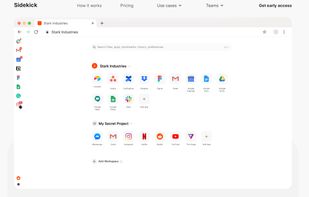
Sidekick is a revolutionary new work OS based on the Chromium browser. Designed to be the ultimate online work experience, it brings together your team and every web tool you use – all in one interface.

Platforms
- Mac
- Windows
- Linux
Discontinued
Sidekick Browser does not exist anymore. It now redirects to  Perplexity Comet.

Features
Sidekick Browser News & Activities
Highlights All activities
Recent News
No news, maybe you know any news worth sharing?
Share a News TipRecent activities
- updated Sidekick Browser
 POX added Sidekick Browser as alternative to Nook Browser
- sevgilimuhammed41 liked Sidekick Browser
- sevgilimuhammed41 rated Sidekick Browser


Featured in Lists

Estas son algunas de las mejores aplicaciones de productividad que he usado en ambitos como mi trabajo, mi vida...
List by Diego Ospina Serna with 20 apps, updated
Official Links
There are no links for this app, or they've been disabled.
What is Sidekick Browser?
Sidekick Browser Videos
Sidekick Browser information
Developed by
UnknownLicensing
Proprietary and Freemium product.Pricing
Subscription ranging between $8 and $10 per month + free version with limited functionality.Rating
Average rating of 3.7Alternatives
77 alternatives listedBadge
Get an embeddable badge for Sidekick BrowserSupported Languages


Comments and Reviews
I am a fan of Opera with the vertical workspaces. But I am not a fan of the inability to change my default search engine to a private one. Cue in Sidekick. It is based on chromium and has a vertical sidebar to add workspaces. They act differently than opera. In Opera, the workspace can include several sites. In Sidekick I choose a specific work site (Teams, Google Docs, RingCentral, etc) and just have that site open on the left side. I can change the appearance to dark mode and add chrome extensions. The built-in adblocker only allows me to choose between allowing ads or just those that are acceptable. WTF? I installed Ublock Origin. So much for privacy. It does allow me to stop requests for location or notifications, but no specific blocks against those horrible cookie prompts on websites. No video autoplay blocks, either. But I can add brave, qwant, or private.sh as my default search engine, unlike Opera. For those of us who love saving space on our monitor, this is already a wonderful alternative to Edge or Opera (both of which allow vertical tabs by default).
Arc Browser SigmaOS way better
I've been trying out Sidekick for a couple of weeks now. I really want to pay for a premium browser and have built in VPN/Adblock/Etc, so this appealed to me from that aspect. I think I am going to end up switching to Arc or back to Brave, just a few things I struggled with:
Documentation
I didn't ever get to understand how Workspaces/Profiles/Spaces worked together. It felt like documentation was lacking, or features had changed over time. I really tried, and read at least 30-60 minutes worth of Medium posts (All I could find for documentation on use cases for this), and watched some videos.
Trying to wrap my head around user accounts in the sidebar was a bit too challenging. They were hard to switch around, and I didn't understand if they were updated as I changed workspaces/profiles/spaces.
Again, I'd give it a try for your workflow. It performs well, looks great, and I think the model of payment is more sustainable for browser development.
Good data protection, high speed and simple user-friendly interface. Everything for a modern browser in a set. Don't pass by, try it
I was pleasantly surprised at how convenient and reliable the browser with the built-in VPN was. It is truly an exceptional solution for those who want to keep their privacy online.
I tink is a very promising project