TagSpaces AlternativesOnly apps categorised as File Search Utilities

The best File Search alternative to TagSpaces is TagStudio, which is both free and Open Source. If that doesn't suit you, our users have ranked more than 100 alternatives to TagSpaces and 12 are File Search Utilities so hopefully you can find a suitable replacement. Other interesting File Search Utility alternatives to TagSpaces are Tabbles, Eagle , Filezo and allTags.

Copy a direct link to this comment to your clipboard
TagSpaces alternatives page was last updated

Alternatives list

  1. TagStudio icon
     70 likes

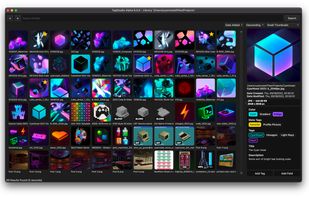
    TagStudio is a photo & file organization application with an underlying tag-based system that focuses on giving freedom and flexibility to the user. No proprietary programs or formats, no sea of sidecar files, and no complete upheaval of your filesystem structure.

    23 TagStudio alternatives

    Cost / License

    Application type

    Platforms

    • Mac
    • Windows
    • Linux
     
  2. Tabbles icon
     79 likes

    Uses a visual, tag-based system to categorize files and folders without moving or duplicating them, enabling ad hoc combination of tags for intuitive search and retrieval, supporting large document collections and visual category management for greater flexibility.

    Cost / License

    • Freemium
    • Proprietary

    Application types

    Platforms

    • Windows
    • Microsoft Outlook
     
    |
    3
  3. Eagle  icon
     104 likes

    Multi-format solution for managing, searching, and organizing images, videos, audio, and fonts with advanced tags, folders, smart folders, color filters, and over 90 design file previews. Features browser integration, annotations, and creative workflow support.

    75 Eagle alternatives

    Cost / License

    • Paid
    • Proprietary

    Platforms

    • Mac
    • Windows
    • Microsoft Edge
    • Google Chrome
    • Safari
    • Mozilla Firefox
     
    |
    1
  4. Filezo icon
     108 likes

    Windows utility for instant access to files, folders, and programs. Indexes and organizes recents, enables tagging, previews, hotkey launching, direct file operations, and integrates project-based file management while reducing reliance on Windows Explorer.

    Cost / License

    • Paid
    • Proprietary

    Platforms

    • Windows
     
  5. allTags icon
     16 likes

    allTags is a free, tag based file management application. It was designed to speed up file handling even in very large file sets.

    Cost / License

    • Free
    • Proprietary

    Application types

    Alerts

    • Discontinued

    Platforms

    • Windows
     
    |
    1
  6. TaggTool icon
     7 likes

    The Personal File Tagging Utility. Tagg is a utility which locates your files based on simple labels you attach or tag on to your files.

    Cost / License

    • Paid
    • Proprietary

    Application type

    Alerts

    • Discontinued

    Platforms

    • Windows
     
  7. Spacer icon
     2 likes

    Spacer is a new file explorer that organizes with tags and manages with priorities and memos.

    Cost / License

    • Paid
    • Proprietary

    Application types

    Platforms

    • Mac
    • Windows
     
  8. TagLauncher icon
     1 like

    TagLauncher is a better way to classify your files and find them. By tagging, you put files in virtual folders but files are not limited to be in one of them. It means similar tags makes files similar, therefore finding them will be easier.

    Cost / License

    • Paid
    • Proprietary

    Alerts

    • Discontinued

    Platforms

    • Windows
     
  9. Taglists icon
     5 likes

    TagLists is a small application for OS X that allows you to quickly see which files you've tagged with particular tags. It uses the OpenMeta tagging system, which means that it finds files that have been tagged with any of the applications that support OpenMeta.

    Cost / License

    • Free
    • Open Source

    Application type

    Platforms

    • Mac
     
  10. Pipy icon
     6 likes

    Pipy is a free Windows utility designed to gradually improve one’s productivity during typical desktop tasks. It does so by combining a launcher and a desktop search tool within a single application.

    Cost / License

    • Free
    • Proprietary

    Application type

    Alerts

    • Discontinued

    Platforms

    • Windows
     
  11. Advanced Recent Access is designed to see more properties of your recent used resources (files and directories). Key features: can see more properties of the recent resources, such as path, size, type, date modified and date created. And more.

    Cost / License

    • Paid
    • Proprietary

    Application type

    Platforms

    • Windows
     
12 of 12 TagSpaces alternatives