




TagSpaces
248 likes
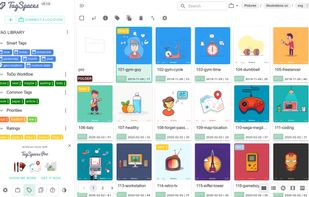
Privacy-first, multi-device organizer for files and folders with customizable tags, color labels, note editing in markdown or HTML, Kanban boards, S3 object storage support, web page clipping, vendor lock-in free filename tagging, open source option, and multi-format preview.

Cost / License
- Freemium (Pay once or Subscription)
- Open Source (AGPL-3.0)
Application typeApplication types
 EU
EUPlatforms
- Mac
- Windows
- Linux
- Self-Hosted
- Microsoft Edge
- Google Chrome
- Mozilla Firefox


Features
TagSpaces News & Activities
Highlights All activities
Recent News
No news, maybe you know any news worth sharing?
Share a News TipRecent activities
 ArtSorter added TagSpaces as alternative to Art Sorter
 PathMaker added TagSpaces as alternative to The PathMaker
- tinima liked TagSpaces
- mIKEtHEn00B liked TagSpaces
- Melisa_Safiyya liked TagSpaces
- bat9000 liked TagSpaces
 niksabba added TagSpaces as alternative to TagJournal


Featured in Lists

Free, Free, Freemium and Commercial Windows, Web, Self Hosted and Chrome
List by rikasfontwitter with 60 apps, updated

A list with 144 apps by Nemets39 without a description.
List by Nemets39 with 144 apps, updated

A list with 42 apps by BlueThrasher22 without a description.
List by Olivia Thrasher with 42 apps, updated
What is TagSpaces?
TagSpaces Videos
TagSpaces information
Developed by
 TagSpaces UG
 Licensing
Open Source (AGPL-3.0) and Freemium product.Pricing
One time purchase that costs $79, and / or subscription that costs $4 per month + free version with limited functionality.Written in
Rating
Average rating of 2.9Alternatives
104 alternatives listedBadge
Get an embeddable badge for TagSpacesSupported Languages

AlternativeTo Categories
File Management, Office & Productivity, Development, News & BooksGitHub repository
- 5,286 Stars
- 512 Forks
- 79 Open Issues
- Updated


Comments and Reviews
Tags folders and files. Makes them easy to find. Can be operated in two modes: tag added to file name or tag added to adjacent file.
1st - Tagging this like it is now here is a bad practice, the guy tagged this software with almost all available tags to get exposure. 2nd- its freemium. Don't like freemium since they allways take out the core functions. 3rd- It creates a bunch of folders for storing cache and data and you cannot change that. 4th- Anual subscription to use a fucking file manager? go home kid.
How do you know the owner added the app? I have no affiliation with any of the apps I have added here.
I'm just getting started with TagSpaces but I'd give it 5 starts for the documentation. And - for now - 7 for the price/feature value.
I"ve done a lot of research on document management systems. Used Zoho but their tag feature is just not acceptable. The 'professional' programs are crazy expensive. And Sharepoint is just horrible to work with.
So for now, I"m happily exploring this program.\
Note: if you are tagging for text items, you might try AnyTxt instead. It will find words in context in a jiff. TagSpaces is too slow and awkward for me.. for a file explorer type tagging system, I'm going with Tagging for Windows which integrates w/Windows Explorer. --- TagSpaces is awkward in initial impression, setup and use.. but workable. Default: big tiles/icons and thumbnails. Thumbnails can be toggled off. Switched to "List Perspective" Supplied Tags sort by file extension.. probably not what most people want, but you can make any Tag you like. Right click context gives you chance to add/remove tags, but personalize tags must be setup elsewhere first. Clicking text file name brings content in a Split Panel.. Great! Limited number of file names appear in list by default, scrolling can be time consuming ..there's a search bar at top, but it doesn't autosuggest, so you really need to know file name. You need to Create/Use Tag Group & create tags before clicking/adding from Context menu. Tag choices are listed alphabetical for choosing.. would be better if grouped. From there, things look pretty good. TagSpaces seems like a great program, but it makes me wonder if something similar and more polished is out there.
make organizing tons of files easier
TagSpaces is a file/folder management with a very good Markdown editor. Add descriptions and colours to files and folders, geo-tag and bookmark files, save searches, Kanban, photo gallery, and Map view of files.
Read my full review at: https://www.noteapps.ca/tagspaces/
You have to use its own interface in order to see the tags (means you have to open the software in its own window), and in that interface you will not be able to view the details of the files in comparison to windows explorer.