




TermioWin
1 like
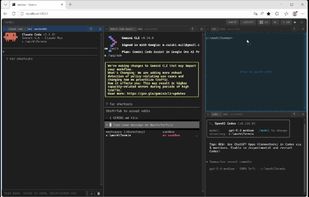
AI-ready multi-pane Windows terminal in your browser. Run Claude Code, Gemini CLI, Codex, and 14+ AI tools locally — with MCP server, prompt automation, and LAN remote access.

Cost / License
- Freemium (Pay once)
- Proprietary
Application type
Platforms
- Windows

Features
TermioWin News & Activities
Highlights All activities
Recent activities
- soft-jp-com added TermioWin
- soft-jp-com liked TermioWin
 soft-jp-com added TermioWin as alternative to Windows Terminal, Terminator, Antigravity CLI and Google Antigravity


TermioWin information
Developed by
 SoftJp
 Licensing
Proprietary and Freemium product.Pricing
One time purchase (perpetual license) ranging between $39 and $70 + free version with limited functionality.Alternatives
6 alternatives listedBadge
Get an embeddable badge for TermioWinSupported Languages


No comments or reviews, maybe you want to be first?
