


Thunar
150 likes
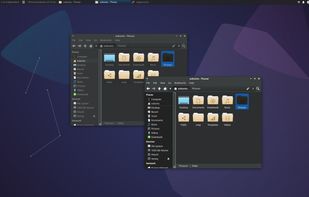
Thunar is a modern file manager for the Xfce Desktop Environment. Thunar has been designed from the ground up to be fast and easy-to-use. Its user interface is clean, intuitive, and customizable. Thunar is fast and responsive with a good start up time and directory load time.

Cost / License
- Free
- Open Source (GPL-2.0)
Application type
 EU
EUPlatforms
- Mac
- Linux
- BSD
- Xfce
- MacPorts
- XQuartz


Features
Thunar News & Activities
Highlights All activities
Recent News
No news, maybe you know any news worth sharing?
Share a News TipRecent activities
 Maik-Hofmann added Thunar as alternative to Peach Commander
- anonymous94984834 liked Thunar
- gaveem liked Thunar
- jethro_tull liked Thunar
 mburlac added Thunar as alternative to Empiric Commander
- thinks Works Offline is a important feature of Thunar
 POX added Thunar as alternative to Trove File Explorer
 tedzilla added Thunar as alternative to COSMIC Files





Featured in Lists

A list with 807 apps by AmileyaRyver without a description.
List by AmileyaRyver with 807 apps, updated

A list with 328 apps by christineconnor without a description.
List by christineconnor with 328 apps, updated

A list with 81 apps by ballju without a description.
List by Ashlyn with 81 apps, updated
What is Thunar?
Thunar information
Developed by
 Xfce
Xfce Licensing
Open Source (GPL-2.0) and Free product.Rating
Average rating of 5Alternatives
91 alternatives listedBadge
Get an embeddable badge for ThunarSupported Languages


Comments and Reviews
Finally one software to ubuntu with a normal TREE VIEW
I've tried a bunch of file managers in Linux over the years and every time I come back to Thunar. It's simple, lightweight and yet it packs a useful set of features for day to day use. I really like that it remembers the view style for each directory, so you can have thumbnails in a folder with photos, list view in your home and detailed view in a work dir, for example. I also use very often the bookmarks, to move to my most used directories.
Currently using it alongside i3wm.
Note: I see other comment mentioning it doesn't have split panes, but it does (F3), and it also has tabs. Super convenient
Very fast, simple and gets the job done. Different types of file appearance (table, preview, list) and left panels (folder tree, favorite links, hide) can be changed quickly with a shortcut.