




Toucan
38 likes
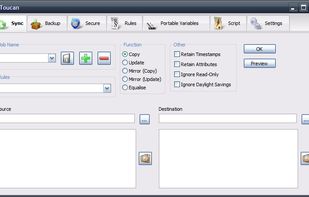
Toucan is a small portableapp utility allowing you to synchronise, backup and secure your data with more options than the built in suite utilities. It is split up into 7 tabs, allowing you to easily find the function that you want.

Platforms
- Windows
- PortableApps.com

Discontinued
Toucan is not being actively developed or maintained. That means that new features are unlikely to appear and bug submissions will generally not be reviewed unless a pull request with a fix is offered by the community.

Features
Toucan News & Activities
Highlights All activities
Recent News
No news, maybe you know any news worth sharing?
Share a News TipRecent activities
- anselmus updated Toucan


What is Toucan?
Toucan information
Developed by
Steve LamertonLicensing
Open Source (GPL-2.0) and Free product.Written in
Rating
Average rating of 2.2Alternatives
62 alternatives listedBadge
Get an embeddable badge for ToucanSupported Languages

AlternativeTo Categories
Backup & Sync, OS & Utilities, Security & PrivacyGitHub repository
- 138 Stars
- 23 Forks
- 21 Open Issues
- Updated


Comments and Reviews
You have to go folder by folder to see all the changes in the Preview option. So if you have 100 folders, you won't see all the changes at once before running the Sync, until you open all the folders/subfolders. That makes it unusable to me because I always want to see the changes before proceeding, so does Freefilesync.
Toucan crashed when I tried to do a drive-to-drive comparison, and it can't be trusted with complex folders like \Program Files. FreeFileSync is much more trustworthy.
A good application, but with hundreds of thousands of files on Windows x64 with 32 GB of RAM, it crashes without error messages.
Toucan has no automatical symmetrical file-deletion
No automatical file-deletion at the other side (equal which side) of a sync-folder-pair, if file-deletion-time was later than last-file-change-time at the side, where the file still exists, see screenshot. Sync-Apps with symmetrical auto-file-deletion are: Allway Sync, PureSync, Synkron.
Someone said this was an alternative to DirSync Pro, but it doesn't checksum what it writes, which is the only thing I use DirSyncPro for, so this one's useless to me.