
TrimrPix icon
TrimrPix icon

TrimrPix

TrimrPix shrinks image file sizes on your Mac without visible quality loss. Supports JPEG, PNG, GIF, WebP, AVIF, and HEIC. Drag, drop, done — fully offline, no subscriptions.
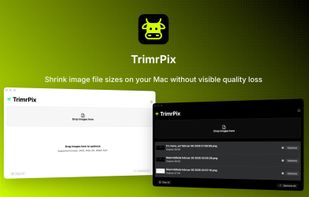
TrimrPix screenshot 1

Cost / License

  • Pay once
  • Proprietary

Application type

Platforms

  • Mac
2likes
0articles

Features

Properties

  1.  Privacy focused

Features

  1.  Image Optimizer
  2.  Offline
  3.  Batch processing

 Tags

TrimrPix News & Activities

Highlights All activities

Recent News

No news, maybe you know any news worth sharing?
Share a News Tip

Recent activities

TrimrPix information

  • Developed by

    DK flagIAMJARL
  • Licensing

    Proprietary and Commercial product.
  • Pricing

    One time purchase (perpetual license) that costs $2.
  • Alternatives

    16 alternatives listed
  • Badge

    Get an embeddable badge for TrimrPix
  • Supported Languages

    • English

AlternativeTo Category

Photos & Graphics

Our users have written 1 comments and reviews about TrimrPix, and it has gotten 2 likes

TrimrPix was added to AlternativeTo by JarlLyng on and this page was last updated .

Comments and Reviews

   
website-groupsop
0

May I ask which technology this is using?

Review from a new or low-activity account — shown here, but not counted in the app rating.

Official Links

What is TrimrPix?

TrimrPix shrinks image file sizes on your Mac without visible quality loss. Drag, drop, optimize, and save space — fast, private, and fully offline.

SUPPORTED FORMATS • JPEG — lossy compression with adjustable quality • PNG — lossless optimization with alpha channel stripping • GIF — validation and pass-through • WebP — modern web format, 25-35% smaller than JPEG • AVIF — next-generation compression with best-in-class savings • HEIC — Apple's default photo format from iPhone/iPad

KEY FEATURES • Reduce file sizes by up to 80% • Drag & drop — add images instantly • Batch processing — optimize hundreds of images at once • Watch Folder — auto-optimize new images added to a folder • Quality presets — Low (60%), Medium (80%), High (95%), or Custom • Fully offline — no uploads, no cloud, no account required • One-time purchase — no subscription, no in-app purchases

PERFECT FOR • Web developers optimizing site assets • Bloggers compressing images before upload • Photographers reducing file sizes for sharing • App developers optimizing App Store screenshots • Anyone who wants smaller images without quality loss

All processing happens locally on your Mac. Your images never leave your device.