



tududi
3 likes
Efficiently manage your tasks and projects, categorize them into different areas, and track due dates with this intuitive and easy-to-use web application.
 EU
EU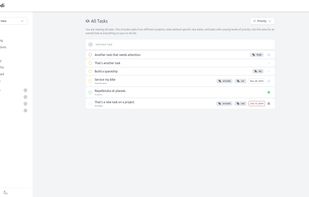

Features
Properties
- Privacy focused
- Lightweight
- Distraction-free
Features
- Subtasks
- Syntax Highlighting
- Pomodoro Timer
- No registration required
- Ad-free
- Recurring Tasks
- No Tracking
- No Coding Required
- Dark Mode
- Decentralized
- Portable
- Team Collaboration
- Project Tracking
Tags
- getting-things-done
- due-dates
tududi News & Activities
Highlights All activities
Recent activities





tududi information
Developed by
 Chris Veleris
 Licensing
Open Source (MIT) and Free product.Written in
Alternatives
53 alternatives listedSupported Languages
- English
- Greek
- Spanish
- Italian
- Chinese
- Ukrainian
- German
- Swedish
- Finnish
- Danish
- Dutch
- French
- Portuguese
- Russian
- Bulgarian
- Arabic

AlternativeTo Categories
Office & Productivity, Remote Work & Education, Business & CommerceGitHub repository
- 2,102 Stars
- 122 Forks
- 21 Open Issues
- Updated



No comments or reviews, maybe you want to be first?
What is tududi?
Efficiently manage your tasks and projects, categorize them into different areas, and track due dates with this intuitive and easy-to-use web application.
Features:
Tududi provides everything you need for efficient task and project management in a clean, intuitive interface.
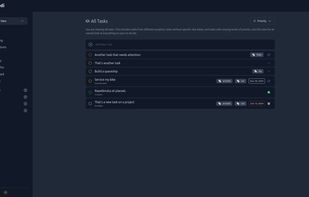
- Task Management: Create, update, and delete tasks. Mark them as completed and view them by different filters. Order them by Name, Due Date, Date Created, or Priority.
- Quick Notes: Create, update, delete, or assign text notes to projects for better organization and documentation of your work.
- Tags: Create tags for tasks and notes to enhance organization and make filtering your work items easier.
- Project Tracking: Organize tasks into projects. Each project can contain multiple tasks and/or multiple notes.
- Area Categorization: Group projects into areas for better organization and focus on what matters to you.
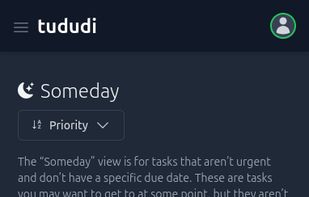
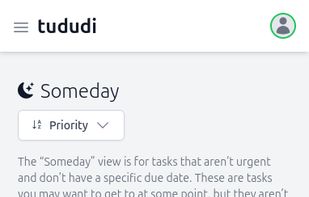
- Due Date Tracking: Set due dates for tasks and view them based on due date categories like Today, Upcoming, or Someday.