





Virtual Cables
1 like
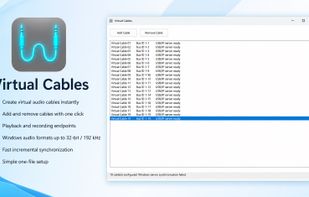
Virtual Cables creates multiple virtual playback and recording devices on Windows. Audio sent to a Virtual Cable speaker is buffered and made available through the matching Virtual Cable microphone.

Cost / License
- Pay once
- Open Source (BSD-2-Clause)
 EU
EUPlatforms
- Windows


Features
Virtual Cables News & Activities
Highlights All activities
Recent activities
Top! 32 bit and 192 kHz
- T-Wasfy added Audio Router as a feature to Virtual Cables
- T-Wasfy thinks Virtual Audio Device is a important feature of Virtual Cables
- T-Wasfy thinks Virtual Audio Cable is a important feature of Virtual Cables
- T-Wasfy liked Virtual Cables
- T-Wasfy added Virtual Cables
 T-Wasfy added Virtual Cables as alternative to VB-Audio VoiceMeeter, JACK Audio Connection Kit, Audio Hijack and Soundflower

Virtual Cables information
Developed by
 Tarek Wasfy
 Licensing
Open Source (BSD-2-Clause) and Commercial product.Pricing
One time purchase (perpetual license) that costs up to $20.Alternatives
14 alternatives listedBadge
Get an embeddable badge for Virtual CablesSupported Languages
AlternativeTo Category
Audio & MusicGitHub repository
- 9 Stars
- 0 Forks
- 0 Open Issues
- Updated


Comments and Reviews
Top! 32 bit and 192 kHz