




X-Mouse Button Control
107 likes
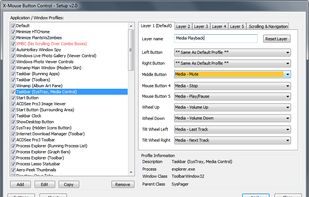
X-Mouse Button Control is a Windows application to remap your mouse buttons and expand the capabilities of your mouse!

Cost / License
- Free
- Proprietary
Application type
Platforms
- Windows


Features
X-Mouse Button Control News & Activities
Highlights All activities
Recent News
No news, maybe you know any news worth sharing?
Share a News TipRecent activities
 POX added X-Mouse Button Control as alternative to OpenMouse
 DonGeronimo7 added X-Mouse Button Control as alternative to Mouse Control
 deepzz0 added X-Mouse Button Control as alternative to LinguaX
- kamoltuk2001 liked X-Mouse Button Control
 sumusiko added X-Mouse Button Control as alternative to GodLikeBots
It makes copy/paste enter so efficient on a simple mouse! .. And there's so much more that can be done!.. Note that Layer 2 has many more options than Layer 1 and that it must be manually chosen from the icon to activate.. easy to do. Layer 2 settings can be set to act as Scripting programs. Layer 1 is very easy to set, and making scripts with Layer 2 is pretty easy, too.


Featured in Lists

A list with 38 apps by GolgothBe without a description.
List by GolgothBe with 38 apps, updated

A list with 14 apps by amritkarmacharya without a description.
List by amritkarmacharya with 14 apps, updated

My list of programs/Miscellaneous that I use
List by pekatvdmitriypekar with 60 apps, updated
What is X-Mouse Button Control?
X-Mouse Button Control information
Developed by
 Phillip Gibbons / Highresolution Enterprises
 Licensing
Proprietary and Free product.Rating
Average rating of 4.7Alternatives
32 alternatives listedBadge
Get an embeddable badge for X-Mouse Button ControlSupported Languages


Comments and Reviews
Excellent app for mouse with no software support or limited software support You can set macro almost everything even executing scripts and emulating keys which is more than what you expect from such mouse software
Easy to get started with, allows complex scripting of actions. Free, no ads. Highly recommended.
i use it instead of (annoying) Logitech-GHub to use the G402. I can map the extra Mouse-Button. The Menu is a lot cluttered and stale, but it does it job with little ressources.
Simulated keys is the best feature ever. XMB's ability to recognize parent & ancestor windows only adds to the rabbit hole of customization and macros you can generate.
It makes copy/paste enter so efficient on a simple mouse! .. And there's so much more that can be done!.. Note that Layer 2 has many more options than Layer 1 and that it must be manually chosen from the icon to activate.. easy to do. Layer 2 settings can be set to act as Scripting programs. Layer 1 is very easy to set, and making scripts with Layer 2 is pretty easy, too.
Excellent, powerful tool that can be used with or without AutoHotkey. Granted, I believe all of its features can be achieved with AHK, but I find it easier/quicker to set things up quickly using X-Mouse Button Control and usually, I take the lazy route in this regard.
Amazing app, the amount of customizable preferences is virtually unlimited with things like button chording triggers and pretty unique functions like locking mouse axes, etc. including an extensive macro editor to make your own. It's good is the point.