Apps tagged with 'System Status'

All apps in Apps tagged with 'System Status' category. Use the filters below to narrow down your search. 
Copy a direct link to this comment to your clipboard
  1. iStat Menus icon
     121 likes

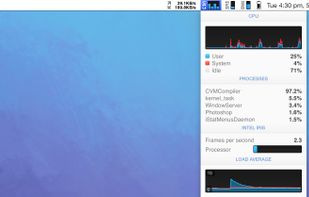
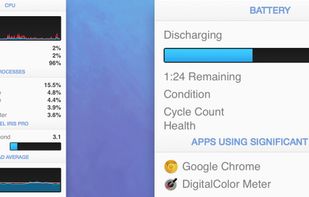
    System monitor for Mac tracking CPU, GPU, network, sensors, disks, memory, and weather with menubar stats, notifications, privacy options, and custom views.

    Cost / License

    • Paid
    • Proprietary

    Platforms

    • Mac
    • iPhone
    • AU flagAustralia
    iStat Menus screenshot 1
    iStat Menus screenshot 1
    iStat Menus screenshot 2
    +1
    iStat Menus screenshot 3
    82 alternatives
  2.  1 like

    ImmichSafe is a user-friendly, cross-platform desktop application for Windows, macOS, and Linux, designed to simplify the management, backup, and restoration of your self-hosted Immich photo and video management server.

    Cost / License

    • Free
    • Open Source (MIT)

    Platforms

    • Windows
    • Mac
    • Linux
    • Docker
    ImmichSafe screenshot 1
    ImmichSafe screenshot 2
    ImmichSafe screenshot 3
  3. ScanDisk is a utility in MS-DOS and Microsoft Windows systems which checks and repairs file systems and bad clusters on the hard drive. It was introduced in MS-DOS version 6.2. Previous versions of MS-DOS supplied only the simpler, purely text-based program .

    Cost / License

    • Free
    • Proprietary

    Application type

    Alerts

    • Discontinued

    Platforms

    • Windows
    • US flagUnited States
    On Windows 98
    Gui screen
    Results
    5 alternatives
  4. AnyBar icon
     Like

    AnyBar is a small indicator for your menubar that does one simple thing: it displays a colored dot. What the dot means and when to change it is up to you.

    Cost / License

    • Free
    • Open Source

    Platforms

    • Mac
    AnyBar screenshot 1
    13 alternatives
  5. MacMetra icon
     Like

    A macOS system monitor that lives entirely in the menu bar, showing CPU load, thermal state and memory at a glance, with a one-click dashboard.

    Cost / License

    • Paid
    • Proprietary

    Platforms

    • Mac
    • RO flagRomania
    • European Union flagEU
    The dashboard, one click from the menu bar: CPU load split into user, system and idle, memory with the pressure the system reports, startup disk space, thermal state and power.
    The menu bar item: CPU load, thermal state and memory in one compact readout. You choose which of the three appear and in what order.
    Settings: choose which readings appear in the menu bar and in what order, and turn on launch at login.
    6 alternatives