




ABBYY FineReader PDF
142 likes
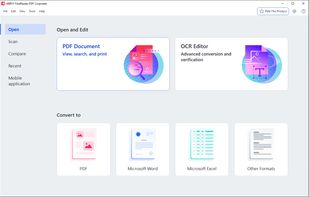
Optical recognition software boasting unmatched text accuracy converts scanned documents to editable Word, Excel, or searchable PDFs while preserving layout. Supports 190 languages, simplifies processes with automated tasks, and includes PDF editing tools.

Cost / License
- Subscription
- Proprietary
Application type
Platforms
- Mac
- Windows
- iPhone
- iPad


Features
ABBYY FineReader PDF News & Activities
Highlights All activities
Recent News
No news, maybe you know any news worth sharing?
Share a News TipRecent activities
 GetPdf added ABBYY FineReader PDF as alternative to PDF Guard
 POX added ABBYY FineReader PDF as alternative to PDFTrail
 OrdinaryPerson added ABBYY FineReader PDF as alternative to PDFx (by AlexandrosGounis)
 TheEmperorArt added ABBYY FineReader PDF as alternative to Perfect PDF Reader
 doc-inspector added ABBYY FineReader PDF as alternative to DocInspector
 Ncored added ABBYY FineReader PDF as alternative to PDF-XChange Viewer
 sanusihassan added ABBYY FineReader PDF as alternative to PDFSimplified
 chr-rich309 added ABBYY FineReader PDF as alternative to OnDevice OCR Pro
 bumpstar28 added ABBYY FineReader PDF as alternative to DocSnap
 Ncored added ABBYY FineReader PDF as alternative to Ncored


Featured in Lists

A list with 807 apps by AmileyaRyver without a description.
List by AmileyaRyver with 807 apps, updated

This should be fun & interesting!
List by Willie Maughan with 85 apps, updated

Kaspersky
List by Hérquimos Souza with 185 apps, updated

What is ABBYY FineReader PDF?
ABBYY FineReader PDF Videos
ABBYY FineReader PDF information
Developed by
 ABBYY
ABBYY Licensing
Proprietary and Commercial product.Pricing
Subscription ranging between $19 and $28 per month.Rating
Average rating of 4.2Alternatives
103 alternatives listedBadge
Get an embeddable badge for ABBYY FineReader PDFSupported Languages
AlternativeTo Categories
Office & Productivity, Photos & Graphics, News & Books, OS & UtilitiesApple AppStore
- Updated
- 4.75 avg rating


Comments and Reviews
I've tried a wide range of OCR packages over the years in different contexts but Abbyy FineReader Pro (currently version 12) remains my favourite. The critical features of OCR software are accuracy, speed/workflow and ease of use. One may add to that the ability to export the recognised data in variety of formats, with different amounts of information (e.g. text only, text with font and alignment information, full layout). For some people (such as myself), the ability to recognise other writing systems is also important.
On all those fronts, Abbyy FineReader is at least a contender for top position. The other possible is Nuance OmniPage which is also very good, but in my opinion FineReader beats it in a number of importrant areas:
Still the best ocr on the market without AI.
I hope Tesseract catches up, because I prefer open-source.
AFR on windows is the most powerful OCR software I've seen. AFR on the Mac is missing the vast majority of the Windows features that make it so compelling. Such as photo cells in tables and live drawing of layout sections.
Best OCR software, nice work with tables or sheets, and best accurate.
powerful and accurate, my workload is much faster because of it
after testing many versions it decided to keep version 9 while is a bit slower that recent versions it has a much better compression taking same img file 8mb inversion 9 give a a 600 kb file while using the last version give me a 2.3 mb, maybe people dont longer care about file size or something or mixed raster content is not a priority anymore
ABBYY is the best program I've ever used with OCR technology. It's very easy to use although it requires a good RAM memory.
ABBYY es el mejor programa que he usado con tecnología OCR. Es muy fácil de usar aunque requiere de una buena memoria RAM.
[Edited by Maoholguin, May 26]