





Bandizip
172 likes
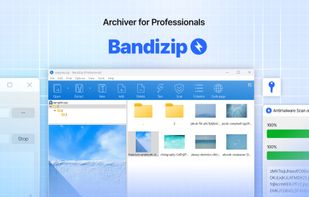
Enables ultrafast compression and decompression of over 30 formats, supports multi-core optimization, AES256 encryption, ZIP repair, selective extraction, password management, antimalware scans, image previews, archive integrity checks, and Windows integration.

Cost / License
- Freemium (Pay once)
- Proprietary
Application typeApplication types
Platforms
- Mac
- Windows


Features

Bandizip News & Activities
Highlights All activities
Recent News
- IanDorfman published news article about Bandizip
 Bandizip archiver utility now has paid versions and ads for the free standard edition
As of today's 7.0 release, popular archiving software Bandizip will now be separated into one free,...

Recent activities



Featured in Lists

I use these software on Windows
List by yaqinking with 63 apps, updated

Kaspersky
List by Hérquimos Souza with 185 apps, updated

Productivity
List by APPSO_TM with 10 apps, updated


What is Bandizip?
Bandizip information
Developed by
 Bandisoft
 Licensing
Proprietary and Freemium product.Pricing
One time purchase (perpetual license) ranging between $20 and $30 + free version with limited functionality.Rating
Average rating of 3.6Alternatives
96 alternatives listedBadge
Get an embeddable badge for BandizipSupported Languages


Comments and Reviews
Still using Bandizip 6.25. I upgraded to the latest release briefly but it contains intrusive ads, so I removed it and reinstalled 6.25. Sad, really, as it's otherwise a nice application.
Need to immediately pay £19.49 on macOS without any option to try the app first. No way that's going to happen.
Used to be nice, but they're just increasing ads more and more. It's just pile of ads now.
I unzip things to a desktop folder in one click and don't see any of this on Windows.
Surprisingly fast, and with a clean and nice UI. Highly recommended, since the free version already offers enough for most users.
Fast and upfront. Avoids the cuteness and complications of a lot of similar programs.
Unfortunately it is not ad free anymore.
Except in the paid version?
Modern Design. The free version includes ads, but I've never seen it except when I first installed it and updated it.