


Clipchamp
14 likes
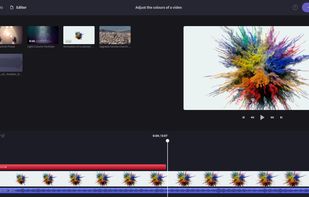
Browser-based video editor offering customizable templates, stock footage and audio, intuitive drag-and-drop interface, real-time preview, webcam and screen recording, multiple file format support, fast auto-save, watermark-free exports, and cloud integration.

Cost / License
- Freemium (Subscription)
- Proprietary
Application type
Platforms
- Windows
- Online
- iPhone
- Google Chrome


Features
Clipchamp News & Activities
Highlights All activities
Recent News
- Maoholguin published news article about Clipchamp
 Clipchamp lastest update brings Dark Mode, AI Captions, and a refreshed UI design
Clipchamp for Windows has introduced a dark mode feature, allowing users to toggle between light an...
- Maoholguin published news article about Clipchamp
 Microsoft's video platforms Stream and Clipchamp will be unified under the Clipchamp brand
Microsoft is merging two of its video services platforms, Clipchamp and Micrososft Stream (which is...
- Maoholguin published news article about Clipchamp
 Microsoft to launch major Clipchamp update on iOS with multi-track editor & auto-reframing
Microsoft is set to release a major update for its Clipchamp video editor app on iOS, replacing the...


Recent activities
- GrepCut added Clipchamp as alternative to GrepCut Studio
 harshmanwani added Clipchamp as alternative to Supercut - AI Video Editor
 POX added Clipchamp as alternative to Palmier Pro


What is Clipchamp?
Clipchamp information
Developed by
 Microsoft
 Licensing
Proprietary and Freemium product.Pricing
Subscription ranging between $10 and $12 per month + free version with limited functionality.Alternatives
148 alternatives listedNews
7 news article related to ClipchampBadge
Get an embeddable badge for ClipchampSupported Languages
AlternativeTo Categories
Photos & Graphics, Video & MoviesApple AppStore
- Updated
- 4.81 avg rating


Comments and Reviews
1 star just because you can't save videos directly on your computer without logging in.
Currently, it looks like you should not subscribe to Clipchamp itself to save videos on your PC; you need to have a standard Microsoft account, which users of MS Windows 10+ usually have. Premium subscription allows having a cloud backup and saving videos in 4K.
Even if it is just log in to save your video is a huge downside, there is literally no need to log in just to save LOCALLY.
Uses up a huge amount storage on your computers hard drive. It isn't bad for free but could be a lot better, editing even the shortest of videos can take way too long.
It's free (without watermarks), and has all major functionality plus AI features. Constantly improving and updating. Drawbacks: heavy, works by default from the system drive: you need to have ~20 GB on drive c: for normal installation and work.