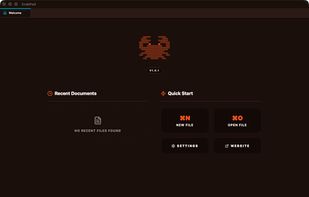
CrabPad is a premium desktop Markdown editor designed for writers who demand speed, focus, and beautiful aesthetics. Built with Tauri (Rust + React), it delivers native performance with instant startup and zero lag.
Core Philosophy: Local-First & Private Your files stay on your device. No cloud accounts, no sync services, no subscriptions. CrabPad works 100% offline and stores standard .md files you can open with any editor. Your data is yours — always.
Key Features:
Zen Mode — Distraction-free fullscreen writing that hides all UI chrome. Toggle with CMD+Alt+Z.
Command Palette — Access every command, file, and setting with CMD+Shift+P. Fuzzy-search enabled.
Live Preview — Side-by-side Markdown rendering with synchronized scrolling.
Pro Markdown Engine — GFM tables, footnotes, task lists, KaTeX math formulas, Mermaid diagrams, admonitions/callouts, abbreviations, definition lists, subscript, superscript, and emoji shortcodes.
Global Search — Search across all open documents instantly.
Table of Contents — Auto-generated outline from headings with click-to-navigate.
Tabbed Interface — Multiple documents in draggable, reorderable tabs.
Customizable Keybindings — Record new shortcuts directly in Settings.
Auto-Update — In-app updater with download progress bar and one-click restart.
Platforms: macOS (Universal — Apple Silicon + Intel), Windows (x64), Linux (AppImage, .deb). macOS users can also install via Homebrew: brew install --cask LukaszOleniuk/tap/crabpad.
CrabPad is free, open to feedback, and actively developed. Visit crabpad.app for more.






 Poland
 EU
EU


 Ukash added CrabPad as alternative to PrivateNotes
 Ukash added CrabPad as alternative to Roam Research
 Ukash added CrabPad as alternative to Silverbullet
 Ukash added CrabPad as alternative to MarkdownPad and Octarine
 Ukash added CrabPad as alternative to Prime Draft


