
Decuga icon
Decuga icon

Decuga

From PRD to live: AI docs, sprints, service desk with public helpdesk portal, change management, roadmap feature voting & management, AI change logs, project goals.
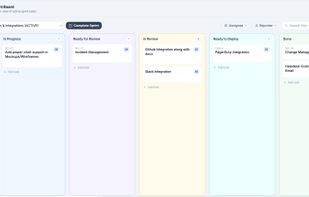
Kanban board

Cost / License

  • Subscription
  • Proprietary

Platforms

  • Online
  • Software as a Service (SaaS)
0likes
0comments
0articles

Features

Properties

  1.  Lightweight
  2.  Privacy focused

Features

  1.  No Coding Required
  2.  Extensible by Plugins/Extensions
  3.  Scrum Boards
  4.  Task Time Tracking
  5.  Ad-free
  6.  Kanban Board
  7.  Real time collaboration
  8.  No Tracking
  9.  Task Automation
  10.  Change Management
  11.  AI-Powered
  12.  Helpdesk Ticketing

Decuga News & Activities

Highlights All activities

Recent activities

Decuga information

  • Developed by

    IN flagDecuga Technologies
  • Licensing

    Proprietary and Commercial product.
  • Pricing

    Subscription ranging between $7 and $57 per month.
  • Alternatives

    10 alternatives listed
  • Supported Languages

    • English

AlternativeTo Categories

Office & ProductivityBusiness & CommerceDevelopment

Popular alternatives

View all
Decuga was added to AlternativeTo by nikitasain94 on and this page was last updated .
No comments or reviews, maybe you want to be first?

What is Decuga?

Decuga is an AI-powered product management platform. Generate PRDs, architecture diagrams, wireframes and decision memos in under 60 seconds. Built-in sprint boards, backlog management, Goals & OKRs, service desk with public helpdesk portal, product roadmap with feature voting, AI changelog generation, change management with RFC approval workflow, and a keyboard-first command palette — all on one flat-rate account subscription. No per-seat pricing.

Decuga integrates with the tools your team already uses. Connect GitHub or GitLab to automatically link pull requests, commits, and branches to tasks and tickets. Sync issues with Jira for teams running hybrid workflows or migrating from Jira. Link Bitrix24 to surface CRM context — company, deal stage, account owner — directly on service desk tickets. All integrations are available from the Starter plan, configured under the Integrations tab in each project.
