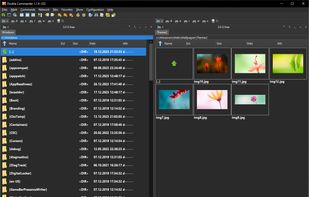
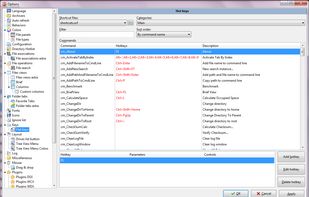
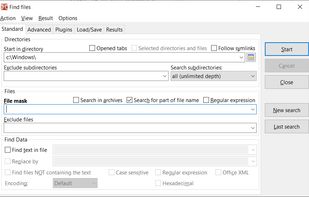
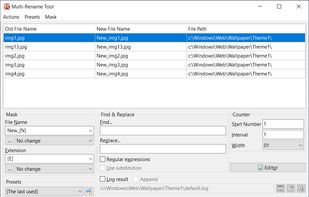
Open-source file manager with dual-panel interface, inspired by Total Commander. Supports plugin use, advanced search, tabbed browsing, and runs smoothly with background operations. Unicode and multi-platform compatibility enhance its versatility.


Dolphin File Manager is not available for Mac but there are plenty of alternatives that runs on macOS with similar functionality. The best Mac alternative is Double Commander, which is both free and Open Source. If that doesn't suit you, our users have ranked more than 50 alternatives to Dolphin File Manager and many of them are available for Mac so hopefully you can find a suitable replacement. Other interesting Mac alternatives to Dolphin File Manager are Spacedrive, Cyberduck, GNOME Files and Midnight Commander.
Open-source file manager with dual-panel interface, inspired by Total Commander. Supports plugin use, advanced search, tabbed browsing, and runs smoothly with background operations. Unicode and multi-platform compatibility enhance its versatility.


Open-source file explorer integrates cloud, local, and offline storage across devices using a secure virtual distributed filesystem in Rust, enabling unified management, file syncing, privacy control, intuitive interface, and ownership without centralized servers.


A libre FTP, SFTP, WebDAV, S3, Backblaze B2, Azure & OpenStack Swift browser.


GNOME Files, formerly known as Nautilus, is the official file manager for the GNOME desktop, giving the user a simple way to navigate and manage its files.


GNU Midnight Commander is a visual file manager, licensed under GNU General Public License and therefore qualifies as Free Software. Its a feature rich full-screen text mode application that allows you to copy, move and delete files and whole directory trees, search for files...


Thunar is a modern file manager for the Xfce Desktop Environment. Thunar has been designed from the ground up to be fast and easy-to-use. Its user interface is clean, intuitive, and customizable. Thunar is fast and responsive with a good start up time and directory load time.


Terminal-based file manager offering a modern, customizable interface with split-screen panels, full keyboard shortcut support, fast file operations, offline access, privacy features, no ads, plugin extensibility, night mode, cross-platform compatibility, and open source code.

The most advanced dual pane file manager and file transfer client for macOS.


muCommander is a lightweight, cross-platform file manager with a dual-pane interface. It runs on any operating system with Java support (Mac OS X, Windows, Linux, *BSD, Solaris...).


Brings iconic 3D Cover Flow file browsing to macOS, includes dual pane navigation, Quick Look integration, sidebar access to volumes, instant file sorting, context menus, type-ahead search, familiar Finder-like interface, and open source availability.

Commander One is dual-pane file manager for OS X created in Swift, which enables you to manage your files in the best possible way.


The Finder is the first thing that you see when your Mac finishes starting up. It opens automatically and stays open as you use other apps. It includes the Finder menu bar at the top of the screen and the desktop below that.


shift-clicking and ctrl-clicking act like most people expect, unlike dolphin, which has some akward +/- system that I never learned, and drove me nuts.