


GPT4ALL
145 likes
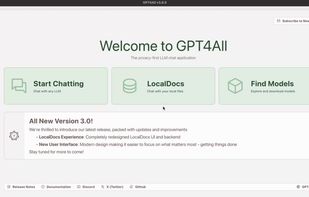
Locally runs open-source chatbots focused on privacy using consumer CPUs, requiring no internet or GPU. Supports multiple models, custom settings, code and dialogue generation, integrated model downloader, familiar chat UI, and both MIT and enterprise licensing.

Cost / License
- Subscription
- Open Source (MIT)
Application typeApplication types
Platforms
- Mac
- Windows
- Linux
- Flathub


Features
GPT4ALL News & Activities
Highlights All activities
Recent News
- Maoholguin published news article about GPT4ALL
 Nomic releases GPT4All 3.0, its open-source local LLM desktop app with new redesign & more
Nomic AI has released version 3.0 of GPT4ALL, celebrating the first anniversary of their open-sourc...

Recent activities
 POX added GPT4ALL as alternative to Otis AI Agent
 tyagihas added GPT4ALL as alternative to Greenative Studio
 POX added GPT4ALL as alternative to Experiential
- David-8015 added GPT4ALL as alternative to Locally Uncensored
- Miccy-dev liked GPT4ALL
 Superstar added GPT4ALL as alternative to OpenAdapter
- zac8wqoxg9 liked GPT4ALL
- lukita0288 liked GPT4ALL



Featured in Lists
How are you? In this list I bring you a variety of alternative software to those from Microsoft, and also that these...
List by AxelFOSS with 140 apps, updated
This is a list curated for the purpose of helping to choose the software/ applications (apps) that should be...
List by Colin the Catalyst with 34 apps, updated
Open-source AI is evolving at an incredible pace, giving developers and enthusiasts more freedom, transparency, and...
List by Viktor Korobov with 14 apps, updated
What is GPT4ALL?
GPT4ALL Videos
GPT4ALL information
Developed by
 Nomic AI
 Licensing
Open Source (MIT) and Commercial product.Pricing
Subscription ranging between $1000 and $10000 per month.Written in
Rating
Average rating of 3.6Alternatives
225 alternatives listedBadge
Get an embeddable badge for GPT4ALLSupported Languages

AlternativeTo Categories
AI Tools & Services, Office & Productivity, Social & CommunicationsGitHub repository
- 77,394 Stars
- 8,289 Forks
- 771 Open Issues
- Updated


Comments and Reviews
It's free and open-source, with a simple interface, ease of use, and built-in support for RAG and embedding—all of which are major advantages. This allows you to load your documents and use 'chat with documents/files' functionality without needing any additional setup or configuration.
On the downside, customization options are very limited. Unlike LM Studio, you can't adjust model parameters before loading; it's more of a 'download and run' approach. Additionally, if your system doesn't have enough resources to support the loaded model, the program often crashes.
Nowhere on the official website does it show a free option. In fact, they expressly state that you require a minimum commitment of $1000/month, which is a completely outrageous bait-and-switch.
Just tested out and you're right, the original developers sold out and some corp took over. The Github version is the last free option. You can't get the newest models with Github or import them to work. So unless you ok with older chat models, GPT4All is paid.
Yep. People are basically better off getting ComfyUI/HuggingFace at this point, although the trade off there is hard drive space (most model flows require a ton of space) and many will require decent hardware. Things will still run without an expensive PC, it's just better. I've not done the LLMs with that though, I've only really tinkered with the image and video generation and even with a 4090 it's pretty rough (lol). Was a fun adventure to try it out at least.
In the last quarter of 2025 GPT4All fundamentally changed its software and website to a profit-oriented direction. All my opinions apply only to the earlier versions.
Requires installation.
Simple and maybe the easiest way to deploy llm.
Another alternative (new): LM Studio
Good for local running, but outdated as Cloud-AI frontend. For example, they have GPT-4 model set-up in store (which is not more avaiable for a long time), but don't have Openrouter.