




KeeWeb
117 likes
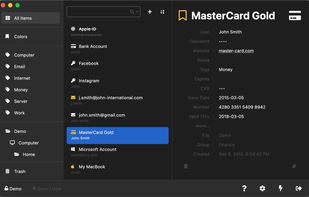
Web and desktop password manager compatible with KeePass. Works online in any modern browser or as a desktop app for Windows, macOS, and Linux.

Platforms
- Mac
- Windows
- Linux
- Online


Discontinued
The latest version (1.18.7) was released in July 2021, and they're looking for a new maintainer to take over the project.

Features


KeeWeb News & Activities
Highlights All activities
Recent News
No news, maybe you know any news worth sharing?
Share a News TipRecent activities
 POX added KeeWeb as alternative to Sesame Password Manager
- Markus-Lind added KeeWeb as alternative to NativePass
- bulldogs liked KeeWeb
 jsussanchez added KeeWeb as alternative to Easy Pass Login
 vidus6com added KeeWeb as alternative to Authenticator by Vidus6





Featured in Lists

some privacy services. mostly taken from...
List by Limen with 192 apps, updated

A list with 568 apps by AmileyaRyver without a description.
List by AmileyaRyver with 568 apps, updated

A curated list of awesome apps for work
List by DecentM with 9 apps, updated
What is KeeWeb?
KeeWeb information
Developed by
 Dimitri Witkowski
 Licensing
Open Source and Free product.Rating
Average rating of 3.5Alternatives
212 alternatives listedBadge
Get an embeddable badge for KeeWebSupported Languages
AlternativeTo Category
Security & PrivacyGitHub repository
- 12,993 Stars
- 1,157 Forks
- 441 Open Issues
- Updated


Comments and Reviews
Totally FOSS, Keeweb modernizes the yet great Keepass and expands it with many useful and handy features. From the true-FOSS perspective, the best pass-manager to start 2020 with.
There is not a plugin to transfer passwords between Keepass and the browsers. This leaves open the vulnerability when you copy/paste passwords.
You never know which app or OS is monitoring the clipboard.
Wrong. You can transfer passwords via the Keepass http server.
Good app but based on https://x.com/kee_web/status/1524780079087222785 they’ve been looking for a maintainer for a few years now, which might explain the stopped releases. This makes me weary of trusting it for the long term.
Looks simple and modern. Has all the base functionalities compared to KeePass, but nothing fancy. The project is open source.
The UI design is very pleasant and easy to understand. It has a web and a desktop client.
I used web version before installing the desktop app. The desktop app offers Auto-type functionality with "Mix real keystrokes with random" feature. The password generator is also amazing with a lot of control over characters, patterns etc.
I would recommend using a KeyFile along with the Master Password for the best 2FA (2 Factor Authentication).
Work very well done 👍
I tested it and was not impressed. It looks good but, for some reason, I had the feeling it has less possibilities than Keepass 2 and did not look exactly as a tool built for speed and usability. Searching an entry in KeeWeb is not as natural as in Keepass 2.
Great design, good integration with browsers.