Marked Alternatives

Marked is described as 'Native macOS tool for Markdown and markup previews with real-time updates, grammar and spelling checks, readability scoring, and export features' and is an app in the news & books category. There are more than 50 alternatives to Marked for a variety of platforms, including Mac, Windows, Linux, Web-based and iPad apps. The best Marked alternative is Typora. It's not free, so if you're looking for a free alternative, you could try ghostwriter or Clearly Markdown. Other great apps like Marked are MarkText, Ferrite, StackEdit and marka.md.

Copy a direct link to this comment to your clipboard
Marked alternatives page was last updated

Alternatives list

  1. MacDown icon
     23 likes

    MacDown is an open source Markdown editor for macOS, released under the MIT License. It is heavily influenced by Chen Luo’s Mou.

    60 MacDown alternatives

    Cost / License

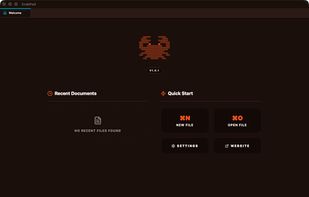
    • Free
    • Open Source

    Application type

    Alerts

    • Discontinued

    Platforms

    • Mac
     
  2. Haroopad icon
     68 likes

    Haroopad is a markdown enabled document processor for creating web-friendly documents. You can author various formats of documents such as blog article, slide, presentation, report, and e-mail as if experts did.

    109 Haroopad alternatives

    Cost / License

    Application type

    Alerts

    • Discontinued

    Platforms

    • Mac
    • Windows
    • Linux
     
  3. SXMac icon
     1 like

    SXMac is a light, notes like app that can be used as a rich text editor, markdown editor and preview, code editor with more than 100 supported languages. If you need specific files or anything else in one place.

    Cost / License

    • Free
    • Open Source

    Application types

    Platforms

    • Mac
     
  4. MarkdownPad icon
     63 likes

    MarkdownPad is a full-featured Markdown editor for Windows. Features: LivePreview : Instantly see how your documents look in HTML as you create them. Easy formatting with keyboard shortcuts. Markdown formatting can be applied (and removed) with handy keyboard shortcuts and toolb.

    102 MarkdownPad alternatives

    Cost / License

    • Freemium
    • Proprietary

    Application type

    Alerts

    • Discontinued

    Platforms

    • Windows
     
    |
    1
  5. Norka icon
     4 likes

    Imagine a hassle-free text-writing experience. Don't worry about saving files, complex markup, or accidentally deleted notes.

    Cost / License

    • Free
    • Open Source (MIT)

    Application type

    Platforms

    • Linux
    • Flatpak
    • Flathub
    • Snapcraft
    • elementary OS
     
  6. Dillinger icon
     10 likes

    Dillinger is a cloud-enabled, mobile-ready, offline-storage, AngularJS powered HTML5 Markdown editor.

    92 Dillinger alternatives

    Cost / License

    • Free
    • Open Source

    Platforms

    • Online
     
  7. Byword icon
     53 likes

    Byword is designed to make writing more enjoyable with Markdown on your Mac, iPhone and iPad.

    155 Byword alternatives

    Cost / License

    • Paid
    • Proprietary

    Application type

    Platforms

    • Mac
    • iPhone
    • iPad
     
  8. Native macOS markdown viewer with Mermaid diagrams, syntax highlighting, and QuickLook in Finder. Read-only, 2 MB, $19.99 one-time. Built in SwiftUI for the AI agent era.

    Cost / License

    • Paid
    • Proprietary

    Platforms

    • Mac
     
  9. Notepad App icon
     2 likes

    A markdown-based notes app for macOS, with simplicity and moderation.

    Cost / License

    • Free
    • Proprietary

    Application types

    Platforms

    • Mac
     
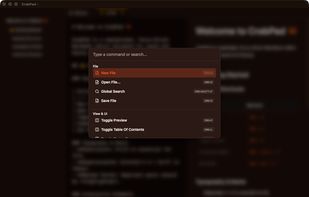
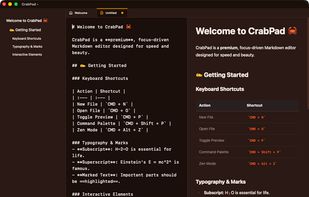
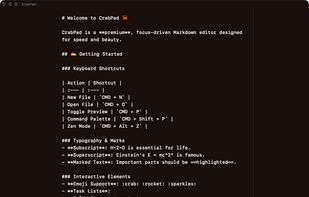
  10. Markdown editor that gets out of your way. Split-pane editing with live preview, 4 themes (Editorial, Midnight, Mono, Sepia), focus mode, tabbed editing, auto-save, version history, image paste support, and 10 built-in templates.

    Cost / License

    • Paid
    • Proprietary

    Application types

    Platforms

    • Mac
    • Windows
    • Linux
     
  11. Glance is a tiny native Markdown viewer for macOS. Open a .md file and Glance renders it the way you wrote it, with real typography and no editor chrome. It is Quick Look-aware, meaning you can tap space in Finder to preview any markdown file instantly.

    Cost / License

    • Free
    • Proprietary

    Platforms

    • Mac
     
You are at page 2 of Marked alternatives