




Mouse without Borders
133 likes
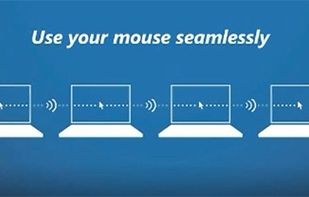
Control multiple PCs effortlessly with a single mouse and keyboard, drag-and-drop files between machines, and customize your screens with Bing images, all without extra gear.

Cost / License
- Free
- Proprietary
Application typeApplication types
Platforms
- Windows


Features
Mouse without Borders News & Activities
Highlights All activities
Recent News
No news, maybe you know any news worth sharing?
Share a News TipRecent activities
 DeskStitch added Mouse without Borders as alternative to DeskStitch
 sorensenlasse1980-code added Mouse without Borders as alternative to DualFlow KVM
 Maoholguin added Mouse without Borders as alternative to Switchy for Mac
 developersharif added Mouse without Borders as alternative to EasySwitch
 cursorhop added Mouse without Borders as alternative to CursorHop
- kamoltuk2001 liked Mouse without Borders
 BHznJNs added Mouse without Borders as alternative to InputShare2


Featured in Lists

After using laptops for years, I finally bought a desktop PC for my study and work. My desk space is too small to...
List by JiaChen ZENG with 3 apps, updated

A list with 72 apps by luisccgoncalves without a description.
List by luisccgoncalves with 72 apps, updated

A list with 18 apps by rainman without a description.
List by rainman with 18 apps, updated
What is Mouse without Borders?
Mouse without Borders information
Developed by
Truong Do (Microsoft Employee)Licensing
Proprietary and Free product.Rating
Average rating of 3Alternatives
23 alternatives listedBadge
Get an embeddable badge for Mouse without BordersSupported Languages


Comments and Reviews
It's **free **and from Microsoft, two things I thought i'd never say. Took me less than 2 minutes to set up both machines and it just works most of the time. For most Windows users, this is just what they need.
[Edited by scottchiste, July 16]
Absolute garbage. Extremely buggy, never connects. Been broken for years, the devs are just ignoring it. Use literally anything else.
Excellent for basic control on 2 PCs o computers. That's what i was looking for.
Latency issues, over and over and over again ShareMouse has NO problems with latency, so why does mouse without borders? This software is trash.
Easy to install and nice gui
Originally I was looking for the fastest and easiest way to transfer small amounts of data (like clipboard data or a small text file) between computers. Anything was on the table from mapping drives on the network, email, skype (or any specialty software), thumb drive in a handy spot (like in the keyboard). ... and came across Synergy. It sounded totally cool. Plus I have a number of computers around me and saw an immediate benefit to using one keyboard and one mouse to run a whole room. But..... Synergy said they couldn't actually move data between systems yet - it was coming in the next version? Lame. The most popular one here seemed to be Barrier, so i downloaded the executables and installed them on 2 windows systems to try out. It seemed simple and straightforward set one up as a server the other a client. Did't end up so simple for me though. Normally if it would take me all day to figure out - i'd stick with it and troubleshoot. But i'm getting too old for this stuff. And there are so many options. I cut my losses and moved on to Mouse Without Borders. It took longer to download than to install. Seriously in 5 minutes I had all my systems using one mouse, one keyboard, and its so simple to just drag a file from one desktop to another. So for being simple, fast, all I need and more, and the first one I was able to install in a reasonable time. 5 STARS ALL THE WAY!!!!!!!!!!!