


Nitro PDF
74 likes
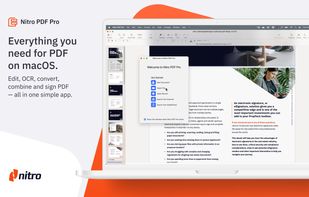
Nitro offers comprehensive PDF solutions for editing, creating, and converting, alongside OCR and e-signature tools. Supports Mac, Windows, and iOS, providing a user-friendly interface with industry-standard security features. Ideal as an Adobe Acrobat alternative.

Cost / License
- Subscription
- Proprietary
Application typeApplication types
Platforms
- Mac
- Windows
- iPhone
- iPad


Features
Nitro PDF News & Activities
Highlights All activities
Recent News
No news, maybe you know any news worth sharing?
Share a News TipRecent activities
 Nettongia added Nitro PDF as alternative to Nettongia PDF Editor
- pdfops liked Nitro PDF
 doc-inspector added Nitro PDF as alternative to DocInspector
 sanusihassan added Nitro PDF as alternative to PDFSimplified
- dr-saturday liked Nitro PDF


Featured in Lists

A list with 807 apps by AmileyaRyver without a description.
List by AmileyaRyver with 807 apps, updated

This should be fun & interesting!
List by Willie Maughan with 85 apps, updated


What is Nitro PDF ?
Nitro PDF information
Developed by
 Nitro
Nitro Licensing
Proprietary and Commercial product.Pricing
Subscription ranging between $9 and $13 per month.Rating
Average rating of 3.5Alternatives
186 alternatives listedBadge
Get an embeddable badge for Nitro PDFSupported Languages


Comments and Reviews
Good app. I especially like the quicksign functions, and its ability to show previews of PDFs in the Windows Explorer and Outlook.
But it becomes an annoying nagware if you dont switch to the paying edition.
It works stably as a pdf editor is all I can say. The interface is dated and the print options are a mess. Unless I am forced to, I would not like to use it.
Does this application have OCR text recognition?
It's not "affordable Adobe Acrobat alternative" for printing, there's no preflight tools, Color separation preview, bleed/crop/trim marks editing and many more. And it doesn't work with PostScript of course.
Only tools for conversion, editing, authoring, optimization, and OCR. Looks and feels like PhantomPDF.
Nitro has no plans for a Linux version, but PDF Studio from Quppa is coming out with version 7 this month, which finally has most of the features of NitroPDF and Adobe Acrobat but runs in Java and on Linux and other operating systems (Win and Mac). They claim to have fixed most of the bugs that kept me from using them in the past. I love NitroPDF, but I switched completely to Linux on my personal systems. PDF Studio covers a large hole in my productivity that NitroPDF filled when I was using windows. Key features that are being added to the pro version are text editing and object movement. The price is not bad either.
I love this application. Like Dennis said, it has all the functionality at a much lower price. And if you want to find the lowest price on this, go to http://www.amazon.com/shops/A31R7N8NDGQ05Z. I just bought my copy there for a very nice price.
All the functionality of Adobe Acrobat full version but with a considerably lower price. The NotroPDF customer support staff is also very responsive and do a great job.