





Notch Studio
1 like
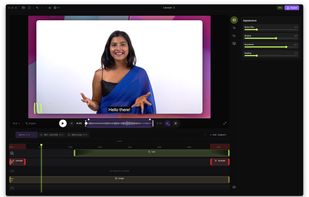
Native screen recorder for Mac and Windows with auto-zoom, segment recording, multilingual captions, and a one-time license.

Cost / License
- Free Personal
- Proprietary
Application typeApplication types
Platforms
- Mac
- Windows


Features
Notch Studio News & Activities
Highlights All activities
Recent activities
 loookashow added Notch Studio as alternative to Cap
 loookashow added Notch Studio as alternative to Bandicam
 loookashow added Notch Studio as alternative to Snagit
 loookashow added Notch Studio as alternative to Tella
 loookashow added Notch Studio as alternative to Canvid
 loookashow added Notch Studio as alternative to ScreenRec
- loookashow updated Notch Studio
- loookashow updated Notch Studio
- loookashow liked Notch Studio


Notch Studio information
Developed by
 Alexander Lukashov
 Licensing
Proprietary and Free Personal product.Pricing
One time purchase (perpetual license) ranging between $29 and $49.Alternatives
8 alternatives listedBadge
Get an embeddable badge for Notch StudioSupported Languages
AlternativeTo Categories
Photos & Graphics, Video & Movies, Remote Work & Education, System & Hardware


No comments or reviews, maybe you want to be first?