





nViPER
1 like
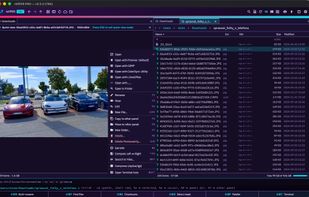
nViPER is a fast, keyboard-first dual-pane file manager for macOS and Windows — a modern revival of the original 2001 nViPER. Two panels side by side let you copy, move and organize files far quicker than a single-window explorer.

Cost / License
- Freemium (Pay once)
- Proprietary
Application type
 EU
EUPlatforms
- Mac
- Windows


Features
nViPER News & Activities
Highlights All activities
Recent activities
- brokesimp69 liked nViPER
- POX updated nViPER
- nickn17 added nViPER
 nickn17 added nViPER as alternative to Total Commander, Double Commander, FreeCommander and fman

nViPER information
Developed by
 NEXT176
 Licensing
Proprietary and Freemium product.Pricing
One time purchase (perpetual license) that costs $13 + free version with limited functionality.Alternatives
22 alternatives listedBadge
Get an embeddable badge for nViPERSupported Languages
AlternativeTo Category
File Management

No comments or reviews, maybe you want to be first?

