OneClick Convert icon

OneClick Convert

Most "free online converters" are upload services: your file goes to their server, gets converted there, and comes back. OneClick Convert is the other way round. The converter is downloaded into your browser and runs there, so the file never leaves your phone or laptop...

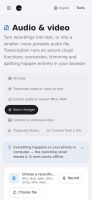
OneClick Convert screenshot 1
OneClick Convert screenshot 2
+2
OneClick Convert screenshot 3

Cost / License

  • Free
  • Proprietary

Platforms

  • Online
  • Software as a Service (SaaS)
0likes
0articles

Features

Properties

  1.  Privacy focused

Features

  1.  Works Offline
  2.  Batch Editing
  3.  Lossless Audio
  4.  Supports Zip files
  5.  Live Preview
  6.  No registration required
  7.  OCR
  8.  PDF compression
  9.  File conversion
  10.  Convert Excel to PDF document
  11.  Offline
  12.  Image Conversion
  13.  Audio Conversion
  14.  Video Converter
  15.  File Compression

OneClick Convert News & Activities

Highlights All activities

Recent activities

OneClick Convert information

OneClick Convert was added to AlternativeTo by zaferdajani on and this page was last updated .
No comments or reviews, maybe you want to be first?

Official Links

What is OneClick Convert?

Most "free online converters" are upload services: your file goes to their server, gets converted there, and comes back. OneClick Convert is the other way round. The converter is downloaded into your browser and runs there, so the file never leaves your phone or laptop — which is provable: switch the internet off and convert anyway.

What it does: PDF to Word and back, images to PDF, HEIC to JPG, merge, split, rotate and watermark PDFs, OCR in 15 languages including Arabic and Chinese, audio and video conversion, a voice changer, spreadsheet splitting, and exact-size compression — type 100 KB and get a file under 100 KB at the best quality that fits. A visa-photo maker carries the exact pixels and KB for 18 destinations across 23 presets. 122 tools in all.

Three things run on a server and are labelled as such in the interface: speech transcription, fetching a file from a link, and an optional download link for browsers that block downloads. Everything else is local. Anonymous usage counts are collected, never file names or contents.

No account, no sign-up, no file-size limit, no queue. Free, paid for by advertising.