




Open Note Scanner
39 likes
This little application provides a way on scanning handwritten notes and printed documents.
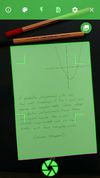

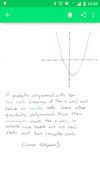

+1
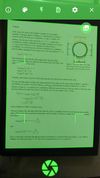

Platforms
- Android
- Android Tablet
- F-Droid
Discontinued
Not updated in 3 years. Google Play store says not compatible with current OS, and if you download from F-Droid it asks you to direct download another app to use it, which is not on Google Play or F-Droid.

Features
Open Note Scanner News & Activities
Highlights All activities
Recent activities
 Jon-Vargas added Open Note Scanner as alternative to OneScribe - Document Scanner
 primedocu added Open Note Scanner as alternative to PrimeDocu
 roqd added Open Note Scanner as alternative to StoreProof
 tuguobaservice added Open Note Scanner as alternative to documentScanner
- boomforreal liked Open Note Scanner
 c17s5qhu added Open Note Scanner as alternative to MakeACopy
 SteadyDisorder added Open Note Scanner as alternative to Scandroid
 Lihenium added Open Note Scanner as alternative to Lihenium
 Keptiq added Open Note Scanner as alternative to Keptiq
 POX added Open Note Scanner as alternative to Montscan


Featured in Lists

## WHAT IS F-DROID ? F-Droid is an awesome app repository for FOSS (Free & Open Source Software) android apps....
List by Darlene Sonalder with 296 apps, updated
A list with 50 apps by OrdinaryAlien without a description.
List by OrdinaryAlien with 50 apps, updated

A list with 134 apps by tameresa without a description.
List by tameresa with 134 apps, updated

What is Open Note Scanner?
Open Note Scanner Videos
Open Note Scanner information
Developed by
 Claudemir Todo Bom
 Licensing
Open Source and Free product.Alternatives
58 alternatives listedBadge
Get an embeddable badge for Open Note ScannerSupported Languages
AlternativeTo Categories
Office & Productivity, Photos & GraphicsGitHub repository
- 1,543 Stars
- 299 Forks
- 96 Open Issues
- Updated


Comments and Reviews
I love open source software. But I have to be honest and say that, as delighted as I am that Open Note Scanner exists, it's not up there with the very best just yet. However, it is reasonable and open source enthusiasts might find its weaknesses quite liveable-with.
Compared to CamScanner, just for example, Open Scan Note:
By contrast, CamScan does brand scans you take with it and needs (very) slight assistance in selecting appropriate boundaries for the objects it is asked to scan. But it does allow you to combine several pages into one.
Both apps have a menu from which you can share your document (E.g. to Evernote, Seafile, Tresorit or whatever else you happen to have an account with).
[Edited by JohnFastman, January 13]
I totally agree with you, but FYI CamScanner only puts watermarks if you export as a pdf.
it offers everything needed with no tracking
nice and easy app for saving docs in digital format. a bit heavy 9.2mb for open source app i think. thank you.
Very useful, but you need a black background or it will be hard to detect the edge of the paper