Pandoc icon
Pandoc icon

Pandoc

Pandoc is a Haskell library for converting from one markup format to another, and a command-line tool that uses this library.
Pandoc screenshot 1

Cost / License

Platforms

  • Mac
  • Windows
  • Linux
95likes

Features

  1.  Support for MarkDown
  2. LaTeX icon  Support for LaTeX
  3.  Command line interface
  4.  Syntax Highlighting
  5.  Convert MarkDown/Word to Ebook
  6.  File conversion
  7.  Export to PDF
  8.  Convert Word documents to PDF
  9.  Convert HTML pages to PDF

Pandoc News & Activities

Highlights All activities

Recent News

Recent activities

  • Parchley icon
    POX added Pandoc as alternative to Parchley
  • David-M-Anderson reviewed Pandoc  

    Best way to convert documents

  • David-M-Anderson liked Pandoc
  • file2markdown icon
    Robinhill85 added Pandoc as alternative to file2markdown
  • MDash icon
    BusNumber added Pandoc as alternative to MDash
  • CleanMD icon
    DylanDog___ added Pandoc as alternative to CleanMD
  • mdtochat icon
    jm90 added Pandoc as alternative to mdtochat
  • Rudoc icon
    irabian added Pandoc as alternative to Rudoc
  • PDF2MD icon
    dpetrakov added Pandoc as alternative to PDF2MD
  • FileMorph icon
    Filemorph added Pandoc as alternative to FileMorph

Comments and Reviews

   
Top Positive Comment
David Anderson
0

Best way to convert documents

TBayAreaPat
0

Sounded good until I realized that it's command line.

VM_
0

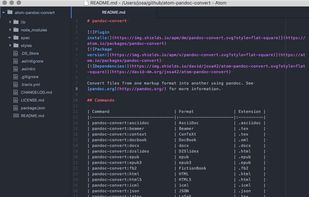
For the Atom text editor

Steps:

  • Install Pandoc
  • Open Atom
  • Go to Settings
  • Go to + Install
  • Search for the "pandoc-convert" package and Install
  • Go to the Package Settings, and paste in the "Pandoc Binary" dialog box, the path where Pandoc was installed
  • In File, open the Markdown file to convert
  • Show the Command Palette with Ctrl+Shift+P
  • In the search box type Pandoc search with the keyboard arrows the conversion format and press Enter twice, wait for the green floating window to appear, indicating that the process was completed successfully

Para el editor de texto Atom

Pasos:

  • Instalar Pandoc
  • Abrir Atom
  • Ir a Ajustes
  • Ir a + Instalar
  • Buscar el paquete "pandoc-convert" e Instalar
  • Ir a los Ajustes del paquete, y pegar en la caja de diálogo "Pandoc Binary", la ruta donde se instaló Pandoc
  • En Archivo, abrir el archivo Markdown a convertir
  • Mostrar la Paleta de comandos con Ctrl+Mayús+P
  • En el cuadro de búsqueda escribir Pandoc buscar con las flechas del teclado el formato de conversión y pulsar Intro dos veces, esperar a que salga la ventana flotante en verde, que indica que el proceso se completó correctamente
Krakra
1

If you like markdown this is your tool.

Featured in Lists

Master List of all Apps and Software I use for both work and personal life.

List by Jimmy Briggs with 416 apps, updated

A list with 62 apps by xlin without a description.

List by C.A. with 62 apps, updated

A list with 807 apps by AmileyaRyver without a description.

List by AmileyaRyver with 807 apps, updated

Official Links

What is Pandoc?

Pandoc is a Haskell library for converting from one markup format to another, and a command-line tool that uses this library.

If you need to convert files from one markup format into another, pandoc is your swiss-army knife. Need to generate a man page from a markdown file? No problem. LaTeX to Docbook? Sure. HTML to MediaWiki? Yes, that too. Pandoc can read markdown and (subsets of) reStructuredText, HTML, and LaTeX, and it can write plain text, markdown, reStructuredText, HTML, LaTeX, ConTeXt, PDF, RTF, DocBook XML, OpenDocument XML, ODT, GNU Texinfo, MediaWiki markup, groff man pages, EPUB ebooks, and S5 and Slidy HTML slide shows. PDF output (via LaTeX) is also supported with the included markdown2pdf wrapper script.

Pandoc information

AlternativeTo Categories

Office & ProductivityOS & UtilitiesNews & Books

GitHub repository

  •  46,331 Stars
  •  4,192 Forks
  •  1039 Open Issues
  •   Updated  
View on GitHub

Our users have written 4 comments and reviews about Pandoc, and it has gotten 95 likes

Pandoc was added to AlternativeTo by tabakis on and this page was last updated .