




Photo Scan
1 like
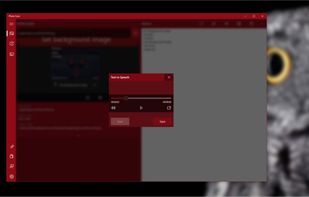
Photo Scan lets you extract text from Images or Photos very easily and efficiently!

Cost / License
- Freemium (Pay once)
- Proprietary
Platforms
- Windows
- Windows Phone


Features
Photo Scan News & Activities
Highlights All activities
Recent News
No news, maybe you know any news worth sharing?
Share a News TipRecent activities
 POX added Photo Scan as alternative to PDFTrail
 Jon-Vargas added Photo Scan as alternative to OneScribe - Document Scanner
- TBayAreaPat replied to a comment / review on Photo Scan
 primedocu added Photo Scan as alternative to PrimeDocu
 roqd added Photo Scan as alternative to StoreProof
 RichfieldLabs added Photo Scan as alternative to ScanHarbor
 tuguobaservice added Photo Scan as alternative to documentScanner
 c17s5qhu added Photo Scan as alternative to MakeACopy
 Lihenium added Photo Scan as alternative to Lihenium
 POX added Photo Scan as alternative to CamScan


Photo Scan information
Developed by
 Define Studio
 Licensing
Proprietary and Freemium product.Pricing
One time purchase (perpetual license) + free version with limited functionality.Alternatives
99 alternatives listedBadge
Get an embeddable badge for Photo ScanSupported Languages


Comments and Reviews
Photo Scan is good for opening an image and having the ocr/text show automatically. Last version is 4.07 Oct 2021. It's fremium with an ad on the right side of the frame. If you use GImageReader , you get a less cluttered, easier to see view, though you have to press the "Recognize all English"(or perhaps other language) button at the top center first. Note that you can't make a standard method shortcut to PhotoScan because it is listed in WindowsApps which has security blocks. 1. Press Windows key + r, type in "shell:appsfolder", hit enter. · 2. Right click the application you want a desktop shortcut for, select "Create shortcut"
Does not do a great job with mid-tone/mid-contrast type images.. seems none of my other capture programs do either. I know there's other programs that work better for that, but I don't know which they are.. perhaps enhancers first.
GImageReader , you get a less cluttered, easier to see view, though you have to press the "Recognize all English"(or perhaps other language) button at the top center first. Note that you can't make a standard method shortcut to PhotoScan because it is listed in WindowsApps which has security blocks. 1. Press Windows key + r, type in "shell:appsfolder", hit enter. · 2. Right click the application you want a desktop shortcut for, select "Create shortcut"
Does not do a great job with mid-tone/mid-contrast type images.. seems none of my other capture programs do either. I know there's other programs that work better for that, but I don't know which they are.. perhaps enhancers first.
The WinUI 3 redesign (v5.0.0) of Photo Scan by Define Studio appears to have been released sometime between late 2024 and 2025. I should give it a try.