


Redo Rescue
90 likes
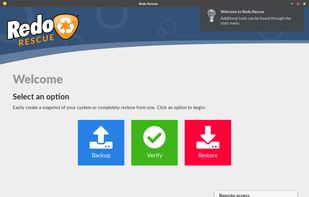
Redo Rescue is an easy-to-use backup and recovery solution that can restore a fully working system from a backup image, even to a blank new hard disk.

Cost / License
- Free
- Open Source (GPL-3.0)
Application typeApplication types
Platforms
- Self-Hosted


Features
Redo Rescue News & Activities
Highlights All activities
Recent activities
 UltraDAGcom added Redo Rescue as alternative to Hardware Clinic
 AOMEI added Redo Rescue as alternative to CBackup
 tkosoft added Redo Rescue as alternative to TKO Backup
 TheEmperorArt added Redo Rescue as alternative to Aomei Cloner
- namdx1987 liked Redo Rescue
- kalashnikov liked Redo Rescue


Featured in Lists

Backup and restore on PC !
List by Shoji VR with 11 apps, updated
What is Redo Rescue?
Redo Rescue information
Developed by
 Zebradots Software
 Licensing
Open Source (GPL-3.0) and Free product.Written in
Rating
Average rating of 3.8Alternatives
36 alternatives listedBadge
Get an embeddable badge for Redo RescueSupported Languages

AlternativeTo Categories
Backup & Sync, OS & Utilities, Security & Privacy, System & HardwareGitHub repository
- 312 Stars
- 33 Forks
- 87 Open Issues
- Updated


Comments and Reviews
Does the same thing as CloneZilla Live (which is very good too), but much more user-friendly! (graphical GUI instead of text-based menus)
For anybody seeking drop-in Clonezilla support / interoperability, I have forked Redo Rescue (back when it was called Redo Backup and Recovery and was abandoned for 7 years) into a new application called Rescuezilla
The user-experience between Rescuezilla and Redo Rescue is largely the same (both applications build upon the same base so maintain the easy-to-use wizard design). It's possible for advanced users to backup drives using Clonezilla (optionally using the Clonezilla "expert mode" options such as changing compression and partitioning tool) and then restore using Rescuezilla's easy-to-use interface. You can also backup using Rescuezilla and restore using Clonezilla if you'd like.
Rescuezilla does not yet support restoring the Redo Rescue image format, but this feature will eventually be implemented: I have already put a lot of work into unify all the features and backup formats from all versions of the Redo application into Rescuezilla, and I hope to continue this process.
Update June 2021: Rescuezilla now has full support for images created by Redo Rescue images (but the focus remains the industry-standard Clonezilla).
Redo Rescue 4.0.0 does not start the graphical user interface on two netbooks of mine, which are ASUS EeePC R101 and Acer Aspire One PAV70 (unable to connect to X server: Connection refused). Old machines, I know. Debian 11, by the way, which Redo is based upon, works on the named machines.
Strange, it works fine on my Gigabyte 965p machine which is similar to your hardware's age.
Fast and easy to use. I remove one star because I accidentally restored a backup on the wrong partition without Redo Rescue warning me about its obvious size mismatch.
My opinion: the best way to back up Windows is to make clones... ready in your time of need, and generally not a lot larger than an image. I use an external clone dock. Redo Rescue will do bare-metal type full system recovery, but it is a linux-based tool, so you can't work in windows while working with it like you can with Macrium free or Veeam free.
Clean interface. Support for linux and windows. Practically impossible to see on a 4k screen. :( I love clonezilla, but it's too small to see.
I have been an avid Clonezilla fan. I recently tried Rescuezilla as of 8-10-21 and would copy my nvme drive fine. Everytime I would restore it would give me errors on a partition that was checked and verified. Then tried it on Clonezilla same issue.
I then tried Redo Rescue copied and was able to reimage without a hitch. Thank You Redo. Redo did what Rescue and Clone could not do.
Hmm. Which operating system were you doing backup/restore of?
And you made a fresh backup using Clonezilla and it exhibited the exact same error? Or were you restoring the exact same Rescuezilla backup using Clonezilla?
Please let me know the answers so I can determine the issue and resolve it in case other users ever experience the same issue.
I am aware that Rescuezilla v2.2 and earlier differs from Redo Rescue in handling of disks with filesystem inconsistencies or read errors (see https://github.com/rescuezilla/rescuezilla/issues/237), as unlike Clonezilla/Rescuezilla, Redo uses the "--force" option which ignores many otherwise fatal errors. Also Clonezilla/Rescuezilla have advanced support for LVM-based operating systems like CentOS. The powerful feature means greater complexity, and corner cases which you may be encountering.
Update December 2021: Rescuezilla v2.3 has introduced a "Rescue" option (currently on the confirmation page) that should match the behavior of Redo Rescue by enabling partclone's "--force" option to ignore filesystem inconsistencies. It also enables partclone's "--rescue" option to ignore disk read errors.
It's a dangerous option that I am not comfortable enabling BY DEFAULT. For a deeper discussion, see: https://github.com/rescuezilla/rescuezilla/issues/237
I needed to clone the contents of a drive to a new SSD. I was able to make a copy of the existing old hdd to my backup system and then clone that to the new drive and put the new drive back into a laptop. It worked perfectly! This is an excellent means of backing up a computer. I would highly recommend for new users as it is extremely user friendly.